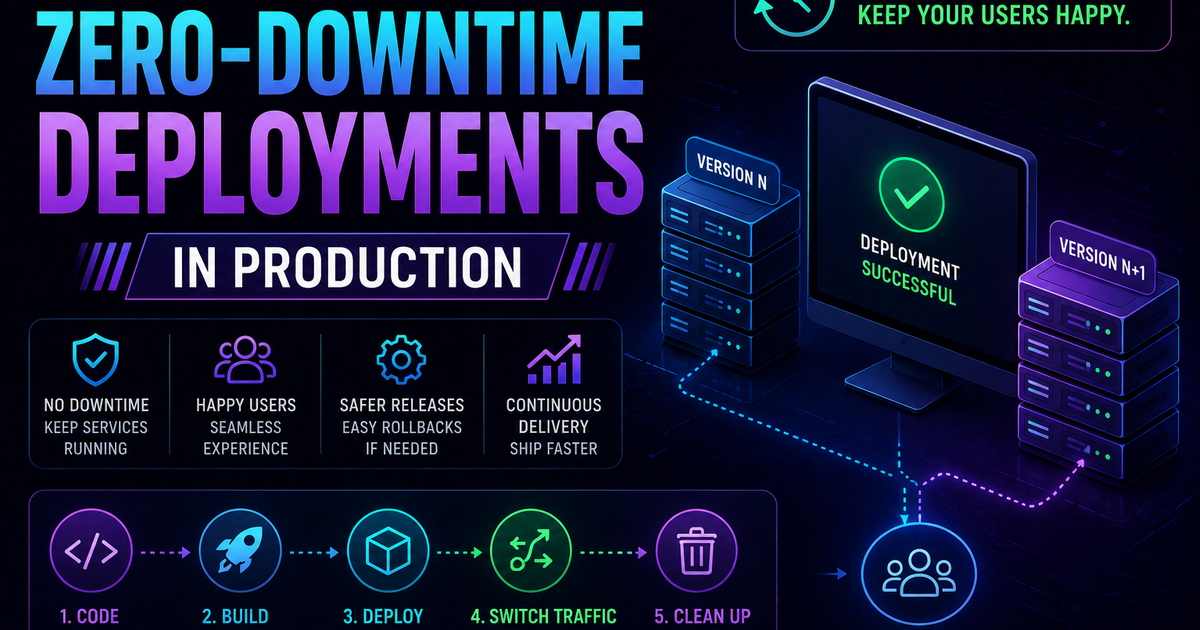
How to Implement Zero-Downtime Deployments in Production
Learn how to implement zero-downtime deployments in production — covering rolling updates, blue-green deployments, canary releases, feature flags, database migration patterns, graceful shutdown, and automated rollback with real Kubernetes YAML and code examples.
A 60-second outage on a checkout page can cost a mid-size SaaS more than the average engineer earns in a week.
That's not a hypothetical. It's the math that pushed zero-downtime deployments from a nice-to-have to a baseline requirement for any team shipping production software in 2026. Users expect highly available services. Service disruptions drive users to competitors and damage trust in ways that are hard to quantify and slow to recover.
The good news: zero-downtime deployment is not magic, and it's not reserved for large engineering teams with deep infrastructure budgets. It's a set of well-understood strategies and patterns that any engineering team can implement, regardless of stack or cloud provider.
This guide covers the four main zero-downtime deployment strategies, how to implement each one with real configuration examples, the database problem that trips up most teams, the role of feature flags, and a decision framework for choosing the right approach for your specific situation.
What zero-downtime deployment actually means
Most articles define zero-downtime deployment as "users never notice an update." That's the goal, but it's not measurable.
SRE teams pin it down with three concrete numbers:
RTO (Recovery Time Objective): Maximum acceptable time to restore service after a failed deployment. True zero-downtime means RTO approaches zero — a failed deployment is detected and rolled back automatically before users experience degraded service.
RPO (Recovery Point Objective): Maximum acceptable data loss in a failure scenario. For most web applications, RPO is zero — you cannot lose user transactions during a deployment.
Error budget: The permitted failure rate within your SLA. A 99.9% uptime SLA gives you ~8.7 hours of downtime per year. Zero-downtime deployments are one of the primary ways engineering teams protect their error budget.
The practical definition: a zero-downtime deployment means new code reaches production without any user request failing, timing out, or experiencing a degraded response as a result of the deployment process itself.
The four strategies real teams actually use
Strategy 1: Rolling deployment
Rolling deployment replaces instances of the old version with the new version gradually — one instance at a time, or in small batches — while traffic continues flowing to the instances that haven't been updated yet.
Before deployment:    [v1] [v1] [v1] [v1]
During deployment:    [v2] [v1] [v1] [v1]  → traffic to all 4
                      [v2] [v2] [v1] [v1]  → traffic to all 4
                      [v2] [v2] [v2] [v1]  → traffic to all 4
After deployment:     [v2] [v2] [v2] [v2]
Kubernetes implements rolling deployments natively through Deployment resources:
# kubernetes/deployment.yaml
apiVersion: apps/v1
kind: Deployment
metadata:
  name: my-app
spec:
  replicas: 4
  strategy:
    type: RollingUpdate
    rollingUpdate:
      maxSurge: 1         # Allow 1 extra pod during update (5 pods total)
      maxUnavailable: 0   # Never reduce below 4 healthy pods
  selector:
    matchLabels:
      app: my-app
  template:
    metadata:
      labels:
        app: my-app
    spec:
      containers:
      - name: my-app
        image: my-app:v2
        readinessProbe:
          httpGet:
            path: /health
            port: 8080
          initialDelaySeconds: 10
          periodSeconds: 5
          failureThreshold: 3   # Mark unhealthy after 3 failed checks
        lifecycle:
          preStop:
            exec:
              command: ["/bin/sh", "-c", "sleep 5"]  # Drain in-flight requests
The readinessProbe is critical — it tells Kubernetes not to route traffic to a new pod until the health check passes. Without it, Kubernetes sends traffic to pods that are still starting up, causing request failures.
The preStop hook adds a brief sleep before the container stops, giving the load balancer time to remove the pod from rotation before connections are dropped.
Pros: Requires no extra infrastructure — uses only the replicas you already have. Works on any Kubernetes cluster with no additional setup.
Cons: During the rollout window, v1 and v2 are running simultaneously. Your application and database must support this mixed state — API responses from v1 and v2 must be compatible, and database schema must work for both versions. This requirement is where most teams hit problems.
Best for: Stateless applications where v1 and v2 can run simultaneously without conflict. Standard for most containerised web applications in Kubernetes.
Strategy 2: Blue-green deployment
Blue-green maintains two identical production environments — blue (current live) and green (new version). You deploy to green, validate it fully, then switch all traffic from blue to green in a single atomic operation.
Traffic before switch:  [Load Balancer] → [Blue: v1] ✅
                                           [Green: v2] (deployed, idle, tested)

Traffic after switch:   [Load Balancer] → [Blue: v1] (idle, kept as rollback)
                                           [Green: v2] ✅
Implementation with AWS Application Load Balancer:
# Step 1: Deploy v2 to green target group (no traffic yet)
aws ecs update-service \
  --cluster production \
  --service my-app-green \
  --task-definition my-app:v2

# Step 2: Wait for green to be fully healthy
aws ecs wait services-stable \
  --cluster production \
  --services my-app-green

# Step 3: Run smoke tests against green before switching traffic
curl --fail https://green.internal.yourapp.com/health
curl --fail https://green.internal.yourapp.com/api/status

# Step 4: Switch traffic from blue to green (atomic — takes ~1 second)
aws elbv2 modify-listener \
  --listener-arn $LISTENER_ARN \
  --default-actions Type=forward,TargetGroupArn=$GREEN_TG_ARN

# Step 5: Monitor for 10 minutes — keep blue running as rollback
sleep 600

# Step 6: If all metrics healthy, decommission blue
# If any alert fires in step 5, rollback is instant:
# aws elbv2 modify-listener --default-actions TargetGroupArn=$BLUE_TG_ARN
In Kubernetes with Argo Rollouts:
apiVersion: argoproj.io/v1alpha1
kind: Rollout
metadata:
  name: my-app
spec:
  strategy:
    blueGreen:
      activeService: my-app-active       # Points to current live version
      previewService: my-app-preview     # Points to new version (for testing)
      autoPromotionEnabled: false        # Require manual approval before switching
      scaleDownDelaySeconds: 300         # Keep blue running 5 minutes after switch
Pros: Zero mixed-version traffic — the switch is instant. Easy, reliable rollback — flip the load balancer back to blue. Full production environment available for pre-switch testing.
Cons: Requires double the infrastructure during deployments — you're running two full production environments. More expensive than rolling deployments. Database migrations must be handled separately (both environments share the same database).
Best for: Applications where running mixed versions simultaneously is too risky — complex database schemas, stateful sessions, or critical financial transactions where v1/v2 incompatibility could corrupt data.
Strategy 3: Canary deployment
Canary deployment releases the new version to a small percentage of users first — 5%, 10%, 25% — monitors it against production metrics, and gradually shifts more traffic if everything looks healthy. Traffic is weighted at the load balancer level, not by user selection.
Initial canary: 95% traffic → v1, 5% traffic → v2
                                         ↓ monitor for 30 minutes
If metrics healthy: 80% → v1, 20% → v2
                                         ↓ monitor for 30 minutes
If metrics healthy: 50% → v1, 50% → v2
                                         ↓ monitor for 30 minutes
If metrics healthy: 0% → v1, 100% → v2  (rollout complete)
If any stage fails: 100% → v1           (instant rollback)
Implementation with Argo Rollouts:
apiVersion: argoproj.io/v1alpha1
kind: Rollout
metadata:
  name: my-app
spec:
  strategy:
    canary:
      steps:
      - setWeight: 5           # Step 1: 5% of traffic to v2
      - pause: {duration: 30m} # Wait 30 minutes — monitor metrics
      - setWeight: 25          # Step 2: 25% to v2
      - pause: {duration: 30m}
      - setWeight: 50          # Step 3: 50% to v2
      - pause: {duration: 30m}
      - setWeight: 100         # Full rollout

      # Automated rollback if metrics breach thresholds
      analysis:
        templates:
        - templateName: error-rate-analysis
        startingStep: 2        # Start analysis at step 2
        args:
        - name: service-name
          value: my-app
---
# Analysis template: automatically roll back if error rate exceeds 2%
apiVersion: argoproj.io/v1alpha1
kind: AnalysisTemplate
metadata:
  name: error-rate-analysis
spec:
  metrics:
  - name: error-rate
    interval: 5m
    failureLimit: 3
    provider:
      prometheus:
        address: http://prometheus:9090
        query: |
          sum(rate(http_requests_total{
            job="{{ args.service-name }}",
            status=~"5.."
          }[5m]))
          /
          sum(rate(http_requests_total{
            job="{{ args.service-name }}"
          }[5m]))
    successCondition: result[0] < 0.02   # Fail if error rate > 2%
Pros: Tests new code with real production traffic before full rollout. Blast radius is limited — only 5% of users see a broken deployment before it's caught. Automated rollback based on real metrics.
Cons: Requires Prometheus or equivalent metrics infrastructure. More complex to implement than rolling or blue-green. The gradual rollout takes time — full rollout can take hours if wait periods are long.
Best for: High-traffic applications where a bad deployment could have significant user impact, and where you want automated, data-driven rollout gates rather than manual approval. The gold standard for mature engineering teams.
Strategy 4: Feature flags (deploy vs release)
Feature flags — also called feature toggles — decouple the act of deploying code from the act of releasing it to users. You deploy new code to production with the feature disabled, then enable it separately when you're ready, without any deployment.
# In your application code
from feature_flags import FeatureFlag

def handle_checkout(request):
    if FeatureFlag.is_enabled("new_checkout_flow", user=request.user):
        # New checkout experience — only visible to enabled users
        return new_checkout_handler(request)
    else:
        # Existing checkout — default for everyone else
        return existing_checkout_handler(request)
Feature flags enable several powerful deployment patterns:
Gradual rollout: Enable the feature for 1% of users, monitor, expand to 10%, 50%, 100% — without any redeployment at each stage.
Kill switch: If a newly released feature causes problems, disable it instantly via the feature flag service — no rollback required, no new deployment.
A/B testing: Route different user cohorts to different experiences. Measure conversion, engagement, or error rates by cohort.
Dark launches: Deploy code to production and run it for 100% of users in the background (logging its outputs) while still showing users the old result. Validate correctness at production scale before switching users.
Implementation with a self-hosted flag service (Unleash):
# docker-compose.yml — self-hosted Unleash
services:
  unleash:
    image: unleashorg/unleash-server:latest
    environment:
      DATABASE_URL: postgres://unleash:password@db/unleash
    ports:
      - "4242:4242"
# Application integration
from UnleashClient import UnleashClient

client = UnleashClient(
    url="https://unleash.internal.yourapp.com/api/",
    app_name="my-app",
    custom_headers={"Authorization": "<API_TOKEN>"}
)
client.initialize_client()

# Check a feature flag with user context
context = {"userId": str(user.id), "properties": {"plan": user.plan}}
if client.is_enabled("new_checkout_flow", context):
    return new_checkout_flow(request)
Managed feature flag services: LaunchDarkly, Statsig, Split.io, Growthbook (open source), Unleash (open source).
Pros: Completely decouples deployment from release. Instant rollback without redeployment. Enables gradual rollout and A/B testing without infrastructure changes. Feature flags decouple deployment from release — a core DevOps practice that improves deployment frequency and reduces risk simultaneously.
Cons: Technical debt if flags are never cleaned up — a codebase littered with old feature flags becomes hard to read and maintain. Requires discipline to remove flags after the feature is fully released. Managed services add cost ($100–$500/month for LaunchDarkly at meaningful scale).
Best for: Any team that wants to separate deployment velocity from release risk. Particularly powerful combined with canary deployments — canary controls the traffic split, feature flags control which features are visible within the canary cohort.
The database problem: the most common zero-downtime failure
Every conversation about zero-downtime deployments eventually hits the same wall: the database.
Application code is stateless and easily replaceable. Databases are stateful and shared. During a rolling or canary deployment, v1 and v2 of your application are running simultaneously — both pointing at the same database. If v2 requires a database column that v1 doesn't know about, or removes a column that v1 still reads, you have a problem.
This is the most common zero-downtime deployment failure: a migration that breaks the version of the application that's still running.
The solution is the expand-contract pattern (also called parallel change):
Phase 1 — Expand: Add new columns or tables in a backward-compatible way. Both old and new code can work with the expanded schema.
-- Migration v1: Add the new column as nullable (backward compatible)
-- Old code ignores it, new code can use it
ALTER TABLE users ADD COLUMN full_name TEXT;

-- Backfill existing records in small batches (no table lock)
UPDATE users SET full_name = first_name || ' ' || last_name
WHERE id BETWEEN 1 AND 10000;
-- Repeat for subsequent ranges
Phase 2 — Transition: Deploy new application code that writes to both the old and new columns. Migrate all data.
# New application code: write to both columns during transition
def update_user_name(user_id, first, last):
    db.execute("""
        UPDATE users SET
          first_name = %s,   -- Keep old column populated for v1 compatibility
          last_name = %s,
          full_name = %s     -- New column for v2
        WHERE id = %s
    """, (first, last, f"{first} {last}", user_id))
Phase 3 — Contract: Once all instances are running the new code and all data is migrated, remove the old columns in a subsequent deployment.
-- Migration v3: Remove old columns after all code is on new version
ALTER TABLE users DROP COLUMN first_name;
ALTER TABLE users DROP COLUMN last_name;
This three-phase approach means no single deployment ever requires the schema and the code to change at the same time. Each phase is independently deployable and independently rollback-able.
Additional database practices for zero-downtime:
- Never lock tables in production migrations.
ALTER TABLEwith a full table lock blocks all reads and writes. UseALTER TABLE ... ADD COLUMN(which doesn't lock on PostgreSQL for nullable columns),CREATE INDEX CONCURRENTLY, and batched updates instead of bulk updates. - Test migrations on a production-sized dataset. A migration that runs in 2 seconds on staging can take 20 minutes on production if the data volumes are different. That 20 minutes is downtime.
- Run migrations separately from code deployments. Deploy the migration first, verify it completes successfully, then deploy the new code. Never couple schema changes and code changes in the same atomic deployment.
Health checks and readiness probes: the foundation of all strategies
Every zero-downtime deployment strategy depends on the same underlying mechanism: the load balancer must know when a new instance is ready to receive traffic, and when an existing instance should stop receiving it.
This happens through health checks and readiness probes.
# FastAPI health endpoint — the minimum viable health check
from fastapi import FastAPI
from sqlalchemy import text

app = FastAPI()

@app.get("/health/ready")
async def readiness():
    """
    Returns 200 only when the instance is fully ready to serve traffic.
    Returns 503 during startup, shutdown, or dependency failures.
    """
    try:
        # Check database connectivity
        await db.execute(text("SELECT 1"))

        # Check any critical dependencies
        await cache.ping()

        return {"status": "ready"}
    except Exception as e:
        raise HTTPException(status_code=503, detail=str(e))

@app.get("/health/live")
async def liveness():
    """
    Returns 200 as long as the process is running correctly.
    Used by Kubernetes to restart crashed containers.
    """
    return {"status": "alive"}
The distinction between readiness and liveness:
- Readiness: "Am I ready to serve traffic?" — checked by load balancers before routing. Return 503 during startup, graceful shutdown, or when a critical dependency is unavailable.
- Liveness: "Is my process still alive?" — checked by Kubernetes to decide whether to restart the container. A container that fails liveness checks is killed and restarted.
A common mistake is using a single /health endpoint for both purposes. Readiness failures should remove the pod from load balancer rotation but not restart it. Liveness failures should restart the pod. Conflating them causes unnecessary restarts during temporary dependency outages.
Graceful shutdown: finishing what you started
Zero-downtime deployment doesn't just require a healthy startup — it requires a clean shutdown. When a pod is being terminated during a rolling deployment, it may still have in-flight requests. If the container is killed immediately, those requests fail.
Graceful shutdown gives the application time to finish processing requests before the container is stopped.
# Python with signal handling for graceful shutdown
import signal
import asyncio

shutdown_event = asyncio.Event()

def handle_shutdown(signum, frame):
    print("Shutdown signal received, finishing in-flight requests...")
    shutdown_event.set()

signal.signal(signal.SIGTERM, handle_shutdown)

# In your application startup:
async def main():
    server = await start_server()
    await shutdown_event.wait()      # Wait for shutdown signal
    await server.stop(grace=10)      # Give requests 10 seconds to complete
    await cleanup_connections()       # Close database connections cleanly
# Kubernetes: configure termination grace period
spec:
  terminationGracePeriodSeconds: 30   # Kubernetes waits 30s before force-killing
  containers:
  - name: my-app
    lifecycle:
      preStop:
        exec:
          command: ["/bin/sh", "-c", "sleep 5"]  # Give load balancer time to deregister
The sequence for a clean pod shutdown:
- Kubernetes sends
SIGTERMto the container preStophook runs (sleep 5 seconds — time for load balancer to stop routing new requests)- Application finishes in-flight requests (up to
terminationGracePeriodSeconds) - Application closes database connections and cleans up
- Container exits cleanly
- If container hasn't exited after
terminationGracePeriodSeconds, Kubernetes sendsSIGKILL
Automated rollback: the safety net
A zero-downtime deployment strategy without automated rollback is incomplete. Manual rollbacks introduce human reaction time — the minutes between "something is wrong" and "someone initiates a rollback" are minutes of users hitting errors.
The automated rollback pattern:
- Define concrete rollback triggers before deployment — not "if things look bad" but "if error rate exceeds 2% for 5 consecutive minutes, rollback automatically"
- Wire those triggers to your deployment pipeline
- Test the rollback mechanism regularly — not just in theory but actually trigger it in staging
In Argo Rollouts (shown earlier), the AnalysisTemplate handles this automatically. For teams not using Argo, a simpler implementation using Kubernetes and Prometheus:
#!/bin/bash
# deploy.sh — deployment script with automated rollback

DEPLOYMENT_NAME=$1
NEW_IMAGE=$2
ERROR_THRESHOLD=0.02   # 2% error rate triggers rollback
WATCH_PERIOD=300       # Watch for 5 minutes post-deployment

echo "Deploying $NEW_IMAGE..."
kubectl set image deployment/$DEPLOYMENT_NAME app=$NEW_IMAGE
kubectl rollout status deployment/$DEPLOYMENT_NAME --timeout=5m

echo "Monitoring error rate for ${WATCH_PERIOD}s..."
START_TIME=$(date +%s)

while [ $(($(date +%s) - START_TIME)) -lt $WATCH_PERIOD ]; do
    ERROR_RATE=$(curl -s "http://prometheus:9090/api/v1/query" \
        --data-urlencode 'query=sum(rate(http_errors_total[2m]))/sum(rate(http_requests_total[2m]))' \
        | jq -r '.data.result[0].value[1]')

    if (( $(echo "$ERROR_RATE > $ERROR_THRESHOLD" | bc -l) )); then
        echo "ERROR RATE $ERROR_RATE exceeds threshold. Rolling back..."
        kubectl rollout undo deployment/$DEPLOYMENT_NAME
        kubectl rollout status deployment/$DEPLOYMENT_NAME
        exit 1
    fi

    sleep 30
done

echo "Deployment successful. No rollback triggered."
Choosing the right strategy for your situation
| Factor | Rolling | Blue-Green | Canary | Feature Flags |
|---|---|---|---|---|
| Infrastructure cost | Low (no extras) | High (2x infra) | Medium | Low |
| Implementation complexity | Low | Medium | High | Medium |
| Rollback speed | Minutes | Seconds | Seconds | Instant |
| Mixed-version risk | Present | None | Present (small %) | None |
| Automated traffic control | Yes (K8s) | Manual/scripted | Yes (Argo) | Yes |
| Database migration compatibility | Required | Easier | Required | N/A |
| Best for | Standard stateless services | High-stakes, complex schema | High-traffic with metrics | Decoupling deploy/release |
If you're starting out: Rolling deployments with readiness probes, graceful shutdown, and a kubectl rollout undo rollback script. This combination covers 80% of production deployments with low implementation overhead.
If you operate a high-traffic product: Canary deployments with Argo Rollouts and automated analysis against Prometheus metrics. The investment in tooling pays off at scale through earlier detection of deployment problems.
If you have complex database migrations or stateful concerns: Blue-green deployments, combined with the expand-contract database migration pattern.
For all teams: Feature flags regardless of which deployment strategy you use. Decoupling deployment from release is one of the highest-leverage DevOps practices available, and it compounds with every other strategy on this list.
The pre-deployment checklist
Run through this before every production deployment:
| Check | Why it matters |
|---|---|
| Readiness probe is implemented and tested | Prevents traffic to unready instances |
| Graceful shutdown handles SIGTERM | Prevents in-flight request failures on pod termination |
| Database migration is backward-compatible | Prevents v1/v2 schema conflicts during rolling update |
| Migration tested on production-sized data | Prevents surprise lock times in production |
| Rollback trigger thresholds are defined | Ensures automated rollback fires on real problems |
| Rollback has been tested in staging recently | Ensures rollback mechanism actually works |
| Monitoring dashboards are open | Enables fast human response if automated rollback doesn't fire |
| Deployment is happening during low-traffic period | Reduces blast radius of any issues |
Frequently asked questions
What is the simplest zero-downtime deployment strategy to start with?
Rolling deployments with Kubernetes are the simplest starting point. Configure maxUnavailable: 0 and maxSurge: 1 in your Deployment spec, implement a readiness probe on a /health endpoint, add a preStop sleep hook for graceful shutdown, and you have a working zero-downtime deployment. This configuration is available on any managed Kubernetes service (EKS, GKE, AKS) without additional tooling.
What is the difference between blue-green and canary deployments? Blue-green switches all traffic at once from the old version to the new version — the switch is binary and instant. Canary gradually shifts traffic in percentages (5%, 25%, 50%, 100%) with monitoring gates between each step. Blue-green is simpler and gives you a cleaner rollback story. Canary limits the blast radius of a bad deployment but requires metrics infrastructure for automated gates. For most teams, blue-green is the right starting point; canary is worth the investment once you're operating at significant scale.
How do I handle database migrations without downtime?
Use the expand-contract pattern: first add new columns as nullable (backward-compatible with old code), then deploy code that writes to both old and new, then remove old columns once all instances are running new code. Never run migrations that lock tables — use CREATE INDEX CONCURRENTLY, nullable column additions, and batched updates. Always run migrations as a separate step before deploying application code, never bundled in the same deployment.
Do I need Kubernetes for zero-downtime deployments?
No. The atomic symlink pattern — creating a new release directory, building it fully, then atomically switching the current symlink — is the oldest and most widely deployed zero-downtime technique, predating Kubernetes by many years. Tools like Capistrano, Deployer, and Kamal implement this pattern for server-based deployments. Cloud services like AWS Elastic Beanstalk, Heroku, and Fly.io also handle zero-downtime deployments without requiring you to manage Kubernetes directly.
What is a feature flag and how does it help with zero-downtime deployments? A feature flag is a conditional in your application code that lets you enable or disable a feature at runtime without redeployment. Feature flags decouple deployment (when code reaches production) from release (when users see the feature). You can deploy code with a flag disabled, verify the deployment is healthy, then enable the flag for 1% of users, monitor, and gradually expand — all without any additional deployments. This gives you zero-downtime for the deployment and fine-grained control over the release.
How do I roll back a Kubernetes deployment instantly?
kubectl rollout undo deployment/my-app reverts to the previous deployment revision in seconds. Kubernetes keeps a configurable history of deployments (revisionHistoryLimit). To roll back to a specific revision: kubectl rollout undo deployment/my-app --to-revision=3. For blue-green deployments, instant rollback is a single aws elbv2 modify-listener command pointing the load balancer back to the blue target group.

Iria Fredrick Victor
Iria Fredrick Victor(aka Fredsazy) is a software developer, DevOps engineer, and entrepreneur. He writes about technology and business—drawing from his experience building systems, managing infrastructure, and shipping products. His work is guided by one question: "What actually works?" Instead of recycling news, Fredsazy tests tools, analyzes research, runs experiments, and shares the results—including the failures. His readers get actionable frameworks backed by real engineering experience, not theory.
Share this article:
Related posts
More from Devops
May 13, 2026
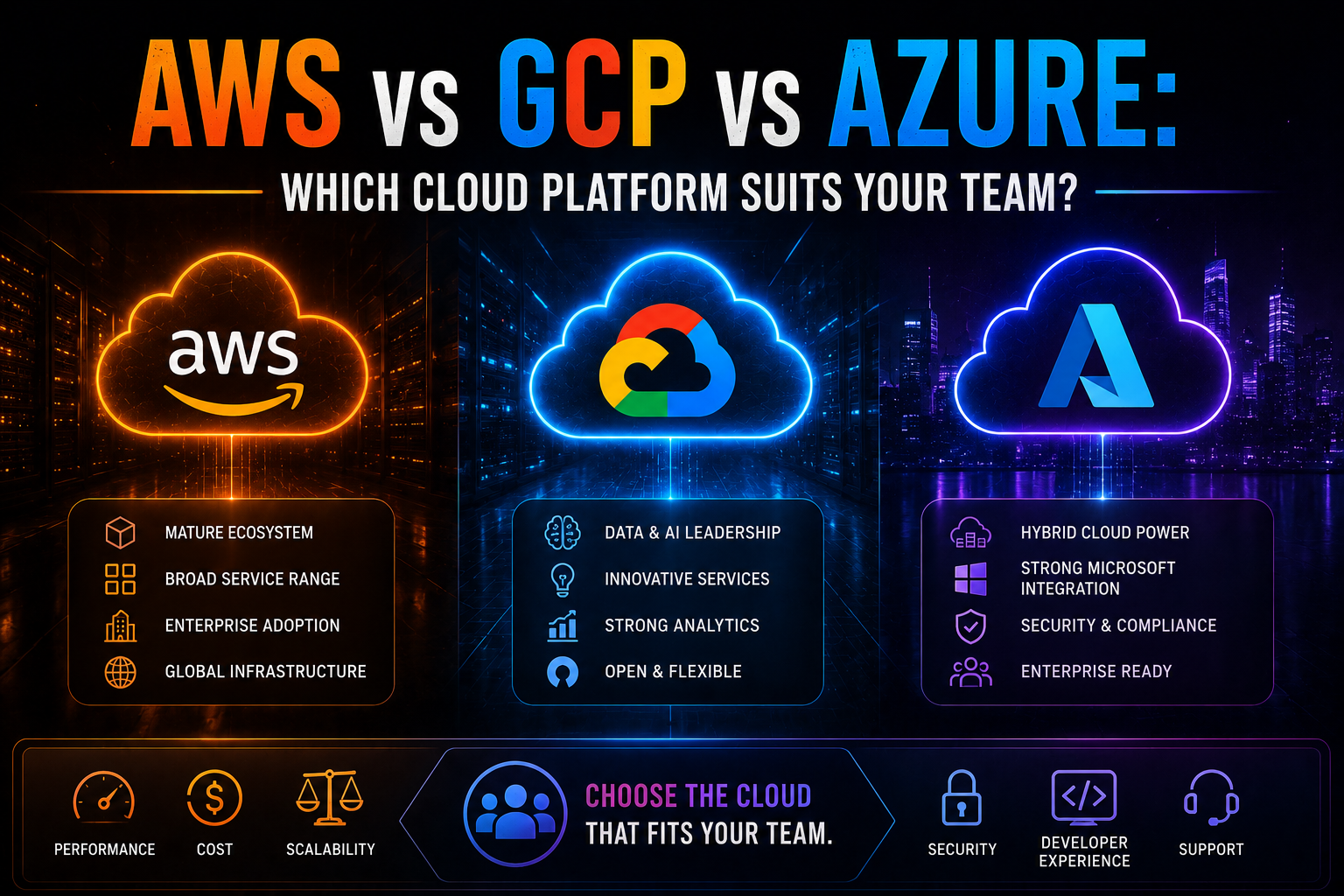
1363AWS vs Azure vs GCP in 2026 — an honest, vendor-neutral comparison covering market share, AI/ML tooling, pricing, Kubernetes, compliance, and which cloud platform suits your team's specific workload and ecosystem.
May 13, 2026
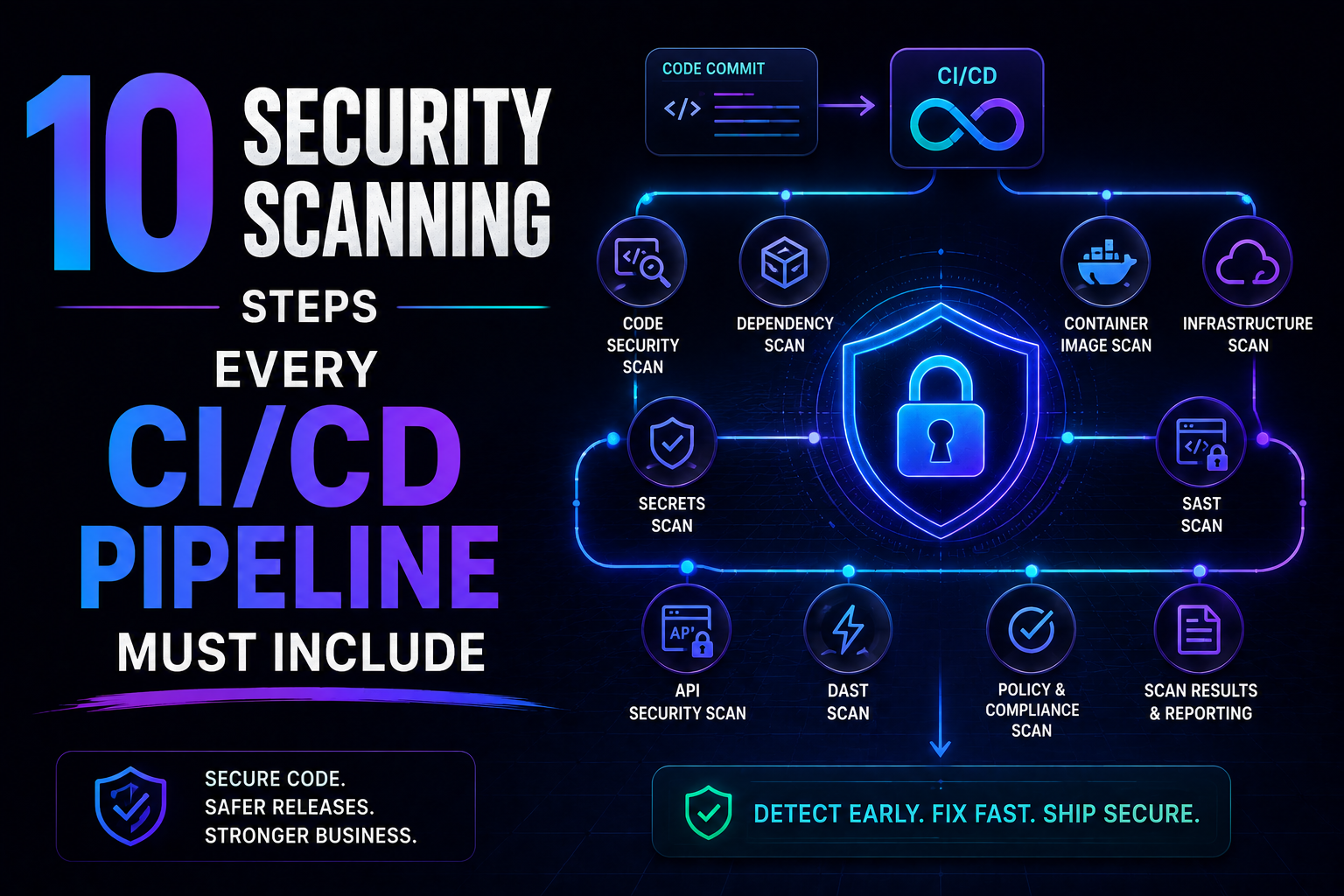
325SAST, SCA, container scanning, DAST, runtime verification – 10 security steps every CI/CD pipeline needs in 2026. Open source tools, real examples, and a rollout timeline. Stop shipping vulnerabilities.
May 5, 2026
422Learn how to set up a production-ready CI/CD pipeline from scratch with GitHub Actions — full annotated YAML for linting, testing, Docker builds, security scanning, staging deployment, and production approval gates.