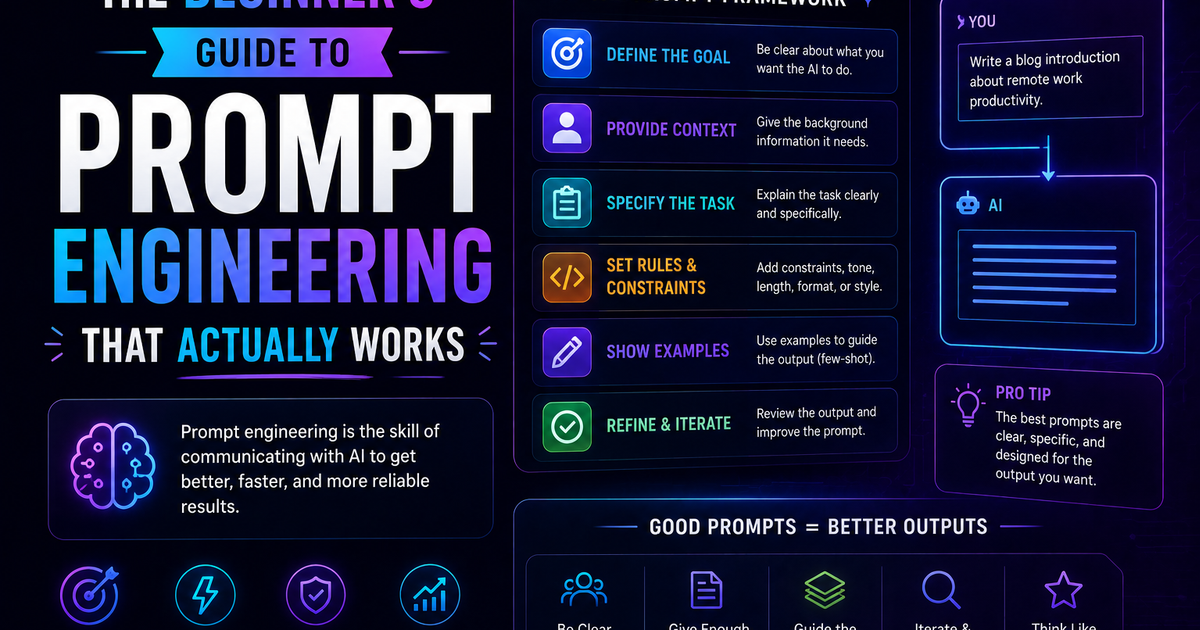
The Beginner's Guide to Prompt Engineering That Actually Works
The beginner's guide to prompt engineering that actually works in 2026 — covering the RCTF framework, chain of thought, few-shot examples, output contracts, and model-specific tips for Claude, GPT-5, and Gemini.
Most people use AI the way they'd type a Google search — a few keywords, hit enter, hope for something useful.
Then they wonder why the output is generic, off-topic, or missing half of what they actually needed.
Prompt engineering is the skill that closes that gap. It's the difference between getting a mediocre first draft and getting something you can actually use. Between spending ten minutes fixing AI output and spending ten seconds reviewing it. Between wondering why the model keeps missing the point and knowing exactly how to fix it.
Research-backed techniques consistently improve output quality by 20–60% on standardised benchmarks. The gap between amateur and expert prompting is measurable, documented, and — most importantly — learnable. You don't need a computer science background. You don't need to understand how transformers work. You need to understand how to communicate clearly with a system that is simultaneously very capable and very literal.
This guide gives you the techniques that actually matter in 2026 — not theoretical frameworks, but practical patterns you can apply in the next ten minutes.
What prompt engineering actually is (and what it isn't)
Prompt engineering is the practice of crafting inputs to get the best possible results from a large language model. In plain terms: it's learning how to ask AI well.
Clear structure and context matter more than clever wording — most prompt failures come from ambiguity, not model limitations. The model is rarely the problem. The prompt usually is.
What it isn't: magic words, jailbreaks, or tricks. The best prompt engineers are not people who found a secret incantation. They're people who understand that an AI model is a very capable system that needs clear instructions, relevant context, and concrete output requirements to do its best work.
The discipline has split cleanly in two: casual prompting (which anyone can do — the models got better at reading intent) and production context engineering (which is a genuine engineering skill).
This guide focuses on the casual-to-competent range — the techniques that will dramatically improve your everyday AI outputs without requiring you to build production systems or study research papers.
The fundamental mindset shift
Before any technique, the most important change is how you think about what you're doing.
Most people treat prompting like a Google search: short, keyword-heavy, vague. But a language model is not a search engine. It doesn't guess what you mean from signals. It responds to what you literally say, in the context of what you gave it.
AI doesn't guess what you're thinking, but it does understand very well what you explain with clarity.
The mental model that helps most beginners: imagine you're briefing a very capable freelancer who has never worked with you before. They're smart, they're experienced, they have broad knowledge — but they don't know your preferences, your context, your audience, or what "good" looks like for your specific situation. The more clearly you brief them, the better their first draft will be.
That's prompting. Clarity over cleverness. Context over keywords.
Technique 1: The Role + Context + Task + Format framework
This is the single most reliable prompt structure available. Instead of dumping a vague request, you give the AI four clear signals: role, context, task, and format.
Role — what perspective or expertise should the model use? Context — what does it need to know about the situation? Task — what specifically should it produce? Format — what should the output look like?
Before (weak prompt):
Write about React hooks
After (Role + Context + Task + Format):
You are a senior frontend engineer writing for mid-level developers.

Context: The team is migrating a large class-based React codebase to
functional components and needs practical guidance.

Task: Explain the 5 most commonly misused React hooks and how to fix
each anti-pattern.

Format: Use before/after code examples, keep each section under 150
words, and end with a migration checklist.
The second prompt is not longer for the sake of being longer. Every added element eliminates a decision the model would otherwise make without your input — a decision it might make wrong.
Apply this framework to any significant prompt. It takes 60 extra seconds to write and saves you multiple rounds of follow-up corrections.
Technique 2: Chain of thought — make the model show its reasoning
Chain of Thought (CoT) prompting asks the model to reason through a problem step by step before giving a final answer. It improves accuracy on math, logic, and multi-step reasoning by 15–40%.
The simplest version: add "Let's think through this step by step" at the end of your prompt. That's it. This one phrase reliably improves output quality on anything that involves reasoning, analysis, or multi-step problems.
Without CoT:
Should we build this feature now or wait until Q3?
With CoT:
We're considering building a new export feature now vs. waiting until Q3.
Here's the context: our engineering team has 2 available developers, the
feature was requested by 3 enterprise customers, our Q3 roadmap is already
70% committed, and our main competitor launched a similar feature last month.

Think through the key factors step by step, then give a recommendation with
your reasoning.
The second version produces a decision with explicit reasoning you can evaluate, not just a conclusion you have to take on faith.
When to use CoT: math problems, code debugging, multi-step reasoning, decision-making. When to skip: simple factual lookups, creative writing, classification tasks.
Technique 3: Few-shot prompting — teach by example
Few-shot prompting means giving the model one to five examples of the output you want before asking it to produce something new. Few-shot prompting remains one of the highest-ROI techniques available.
Why it works: describing what you want in words is hard. Showing what you want with examples is almost always more precise and more efficient. The model picks up on patterns — tone, format, length, style — from your examples and applies them to the new task.
Without examples:
Write a product update email in our company voice.
With few-shot examples:
Here are two examples of our product update emails:

Example 1:
Subject: Your exports just got faster
Hey [Name], Quick update: export times for large datasets just dropped by
60%. No action needed — it's live in your account now. Questions? Hit reply.
Team [Product]

Example 2:
Subject: New: bulk invite your whole team
Hey [Name], You asked, we built it. You can now invite your entire team
with one CSV upload instead of one-by-one. Find it under Settings → Team.
Team [Product]

Now write a product update email announcing that we've added Slack
notifications for mentions and @replies. Same voice and length.
The model now knows exactly what "our company voice" means — not from your description, but from actual samples of it.
Use few-shot prompting whenever you want consistent output style, tone, or format across multiple generations.
Technique 4: Write a clear output contract
The number one prompt engineering best practice in 2026 is writing success criteria and an output contract. Most failures are caused by undefined "done."
An output contract specifies, before the model starts writing, exactly what the output must contain, how long it should be, what format it should follow, what it should not include, and how you'll evaluate whether it's successful.
Without an output contract:
Summarise this research paper for me.
With an output contract:
Summarise the following research paper.

Output requirements:
- 3 bullet points maximum
- Each bullet under 25 words
- Focus only on: main finding, methodology used, practical implication
- Do not include author names, publication details, or technical jargon
- Write for a non-specialist business audience

[paste paper]
The output contract removes all ambiguity about what "summarise" means. The model knows exactly what done looks like before it starts.
Structure beats length. You need structured prompts, not long prompts. A well-structured 100-word prompt consistently outperforms a vague 500-word prompt.
Technique 5: Give negative instructions — tell it what NOT to do
Most prompts tell the model what to produce. The best prompts also tell it what to avoid. Negative instructions are underused and highly effective.
Common failure: You ask for a concise email and get five paragraphs. Fix: Add "Do not write more than 150 words" and "Do not use bullet points."
Common failure: You ask for analysis and get vague generalities. Fix: Add "Do not make general statements without specific evidence from the data I've provided."
Common failure: You ask for a tone that matches your brand and get corporate jargon. Fix: Add "Do not use phrases like 'leverage', 'synergy', 'best-in-class', or 'solution'."
Think about the most common ways previous outputs have missed the mark, then explicitly prohibit them. Negative constraints are often the fastest fix for recurring output problems.
Write a LinkedIn post announcing our new product feature.

Requirements:
- Under 150 words
- Conversational, not corporate
- One clear call to action at the end

Avoid:
- Marketing jargon ("game-changing", "revolutionary", "seamless")
- Bullet points
- Hashtags in the body (put them at the end only)
- Starting with "I'm excited to announce..."
Technique 6: Ask the model what it needs before it starts
This technique is counterintuitive but powerful: instead of writing the whole prompt yourself, ask the model what information it would need to give you an excellent answer.
This technique works because the AI knows what information it needs to do its best work. You're essentially letting it tell you what to ask for.
Version 1 — let it ask the questions:
I want to create a comprehensive API documentation page for a [REST API](https://fredsazy.com/blog/how-to-design-apis-that-developers-actually-want-to-use).
Before you write anything, ask me the 10 most important questions you'd
need answered to create excellent documentation.
Version 2 — let it generate its own prompt:
I'm going to ask you to write a marketing email campaign. But first,
generate the optimal prompt I should give you to get the best possible
result. Include what context, constraints, and examples I should provide.
Both versions force a clarification step that most people skip — and that skipping is often the root cause of disappointing output. Use this technique for complex, high-stakes tasks where getting the prompt right is worth an extra two minutes.
Technique 7: Use structured formatting in your prompt
How you format your prompt affects how the model processes it. A prompt that's one long paragraph is harder for the model to parse than one with clear sections. Mixing context and instructions in one blob makes prompts harder to follow and harder to debug.
Use headers to separate the parts of your prompt:
## ROLE
You are a senior product manager with 10 years of experience in B2B SaaS.

## CONTEXT
We're a 50-person company building project management software for
architecture firms. Our main customers are project leads who manage
5–20 concurrent projects across multiple client relationships.

## TASK
Review the following user feedback from our last quarterly survey and
identify the top 3 feature requests we should prioritise for Q3.

## CONSTRAINTS
- Focus only on feature requests, not bug reports
- Rank by frequency and potential impact, not novelty
- Ignore requests from fewer than 3 users

## OUTPUT FORMAT
For each feature: one sentence description, estimated user impact (1–10),
reason for priority ranking. No more than 200 words total.

## INPUT
[paste feedback here]
This structure works because each section is clear and distinct. The model knows exactly what goes in each bucket and processes each instruction separately rather than trying to interpret one long instruction blob.
Technique 8: Iterate — never accept the first draft as final
The biggest mistake developers make is accepting the first output. Treat AI like a brilliant but literal-minded intern: be specific, give examples, and iterate.
The first output is a starting point, not a deliverable. The prompting loop should look like:
- Write your prompt using the techniques above
- Review the output — what's right, what's missing, what's wrong?
- Either refine your original prompt to fix the pattern, or give the model specific correction instructions in a follow-up
- Repeat until the output meets your standard
Effective follow-up correction patterns:
Good, but the tone is too formal. Rewrite section 2 to sound like I'm
talking directly to the reader at a startup, not at a Fortune 500 company.

The structure is right but the examples are too generic. Replace each
example with something specific to e-commerce businesses.

Cut the length by 40%. Every sentence that doesn't add new information
should be removed.
Specific, directive corrections produce fast improvements. Vague feedback ("make it better") produces generic changes.
Technique 9: Understand model-specific behaviour
Different models respond better to different formatting patterns — there's no universal best practice. In 2026, most people interact with at least two or three different AI models, and knowing how each one responds best saves significant time.
Claude (Anthropic) — excels with contract-style instructions and critique/evaluation steps. Responds well to XML-style tags in longer prompts (<instructions>, <context>, <examples>). Particularly strong at following nuanced, multi-part instructions precisely. Handles long documents well.
GPT-5 / ChatGPT (OpenAI) — surprisingly good at inferring intent from minimal context. Try zero-shot (no examples) before adding few-shot examples — GPT-5 often doesn't need them. Performs well with conversational, natural-language instructions.
Gemini (Google) — prefers shorter, more direct prompts than either Claude or GPT. Google's prompt engineering whitepaper recommends always including few-shot examples and placing specific questions at the end, after your data context.
Practical takeaway: start with your best prompt, run it on the model you use most, and note where it falls short. The adjustment to fix a Claude output is often different from the adjustment to fix the same failure in GPT-5.
Technique 10: Know when not to use a complex prompt
The practical advice: keep prompts conversational and try zero-shot before reaching for few-shot. Not every task needs a structured prompt with role, context, task, format, and output contract.
For simple, factual, or low-stakes tasks — "summarise this in one sentence," "fix the grammar in this paragraph," "translate this to Spanish" — a short, direct instruction works fine. Over-engineering simple prompts adds friction without improving output.
The framework for deciding prompt complexity:
| Task type | Recommended approach |
|---|---|
| Simple, factual, single-step | Short direct instruction |
| Creative, open-ended | Role + basic context + task |
| Analytical, multi-step reasoning | Add chain of thought |
| Tone/style consistency | Add few-shot examples |
| High-stakes, complex output | Full RCTF + output contract |
| Recurring, production use | Template with variables |
Start simple. Add structure only when the simple version fails.
Common beginner mistakes and how to fix them
Being vague about the audience. "Write a blog post about DevOps" produces a generic post. "Write a blog post about DevOps for non-technical startup founders who have heard the term but don't understand why it matters" produces something specific and useful.
Giving no length guidance. Without a length instruction, the model picks a length — usually longer than you need. Always specify length for any writing task: "under 200 words", "3 bullet points", "no more than one paragraph."
Asking for too many things in one prompt. "Write a product description, suggest a price, identify our target customer, and draft a launch email" is four tasks. Do them separately. Multi-task prompts produce outputs that partially complete each task rather than fully completing any of them.
Not providing relevant context. "Improve this email" gives the model nothing to work with. "Improve this email — it's going to a C-level executive at a large bank who is skeptical about our product's security and has asked for a second meeting" gives it everything it needs.
Accepting the role assignment too broadly. "You are an expert" does nothing. "You are a growth marketer who has run SaaS acquisition campaigns with budgets between $50K and $500K, and you think in terms of CAC payback and LTV from the first conversation" gives the model a specific, useful perspective to operate from.
A prompt template to start with today
Copy this template, fill in the brackets, and use it for your next significant AI task:
## ROLE
You are [specific role/expertise relevant to this task].

## CONTEXT
[2-3 sentences about the situation, audience, and relevant background]

## TASK
[Single, specific thing you want produced]

## CONSTRAINTS
- [What to include]
- [What to exclude]
- [Tone or style guidance]
- [Length requirement]

## OUTPUT FORMAT
[Specific format: bullet points, paragraphs, numbered list, table, code block]

## EXAMPLE (optional but powerful)
[One example of the output you're looking for]
This template works for 80% of the prompts you'll write. Once it's muscle memory, the advanced techniques — chain of thought, few-shot examples, output contracts — become natural additions for specific situations.
The bigger picture: where prompt engineering is going
Although "prompt engineer" roles are declining (40% drop in job titles from 2024 to 2025), the skillset is converging into broader AI workflow and automation design roles. The foundational skill remains essential but more integrated within cross-disciplinary teams.
The real failure mode in production isn't a bad prompt. The job is being the operating system, loading working memory with exactly the right code and data for each task. The skill of knowing what context to include, what to exclude, and how to structure the interaction — that's what endures regardless of what the models are called.
In 2026, everyone who works with AI benefits from being good at prompting. Not as a standalone job, but as a foundational skill in the same way that knowing how to write clearly, structure an argument, or give a good brief has always been valuable. The people who get the most from AI tools in 2026 are the ones who've learned to communicate with them precisely.
That starts with the techniques in this guide. Apply one today. The improvement will be immediate.
Frequently asked questions
What is prompt engineering in simple terms? Prompt engineering is the skill of writing clear, structured instructions for AI models to get better, more reliable outputs. It's the difference between asking "write me an email" and giving the AI the role, context, audience, tone, length, and specific task it needs to produce something actually useful.
Do I need to know how to code to do prompt engineering? No. Prompt engineering is a communication skill, not a programming skill. You need to write clearly and think precisely about what you want — not understand how neural networks work or write Python code.
How long should a prompt be? Research from 2024 found that LLM reasoning performance starts degrading around 3,000 tokens. The practical sweet spot for most tasks is 150–300 words. Structure matters more than length. A well-structured 100-word prompt consistently outperforms a vague 500-word one.
What is few-shot prompting? Few-shot prompting means giving the model one to five examples of what you want before asking it to produce something new. It's one of the most effective techniques for controlling tone, format, and style — because showing the model what you want is usually more precise than describing it.
What is chain of thought prompting? Chain of thought prompting asks the model to reason step by step through a problem before giving a final answer. Adding "think through this step by step" to any analytical prompt reliably improves output quality and accuracy on reasoning-heavy tasks.
Does prompt engineering work the same across all AI models? No. Claude, GPT-5, and Gemini respond differently to the same prompt. Claude responds particularly well to structured, contract-style instructions and XML tags. GPT-5 often handles minimal prompts well without needing many examples. Gemini prefers shorter, more direct prompts with few-shot examples. Testing your prompt on the specific model you use is always worthwhile.
Is prompt engineering a career? Standalone "prompt engineer" job titles dropped 40% from 2024 to 2025 as the skill became absorbed into other roles. It's no longer a standalone career for most people — but it is a high-value skill embedded in roles across product management, content, engineering, data analysis, marketing, and operations. Everyone who uses AI benefits from being good at it.

Iria Fredrick Victor
Iria Fredrick Victor(aka Fredsazy) is a software developer, DevOps engineer, and entrepreneur. He writes about technology and business—drawing from his experience building systems, managing infrastructure, and shipping products. His work is guided by one question: "What actually works?" Instead of recycling news, Fredsazy tests tools, analyzes research, runs experiments, and shares the results—including the failures. His readers get actionable frameworks backed by real engineering experience, not theory.
Share this article:
Related posts
More from AI
May 27, 2026
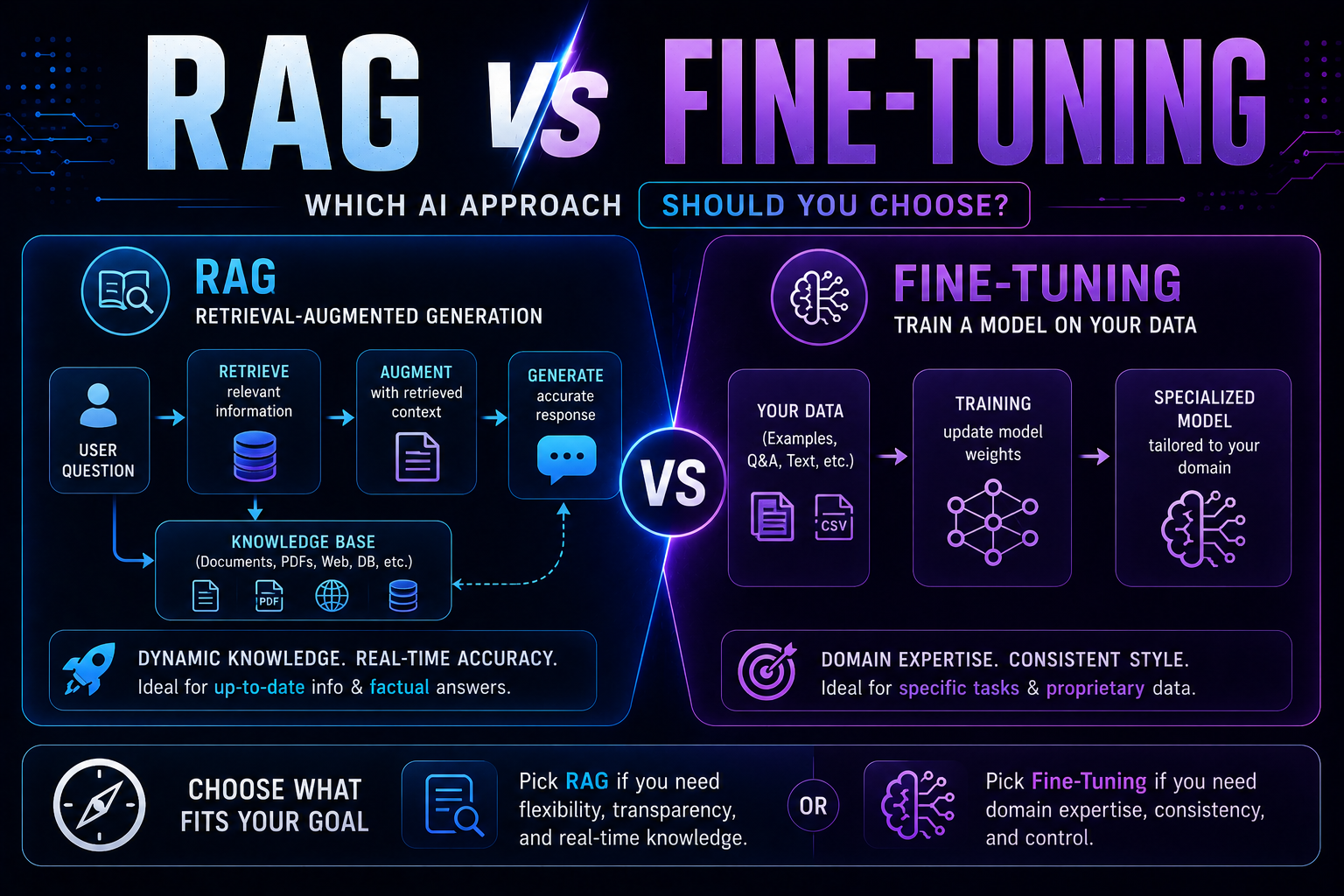
255RAG vs fine-tuning in 2026 — a practical guide covering when to use each, how both work with real code examples, the form vs facts distinction, hybrid approaches, true costs, and a decision framework to choose the right AI architecture for your use case.
May 22, 2026
2645 red flags every business must spot before buying AI software — covering demo manipulation, data privacy gaps, missing error handling, AI-washing, and lock-in contracts, with a 4-week vendor evaluation framework.

May 13, 2026
333Cost per inference. Gross margin per inference. Model downgrade tolerance. Most AI startups track SaaS metrics and miss the real numbers. Here are 7 that will save you from burning cash – with benchmarks and implementation steps.