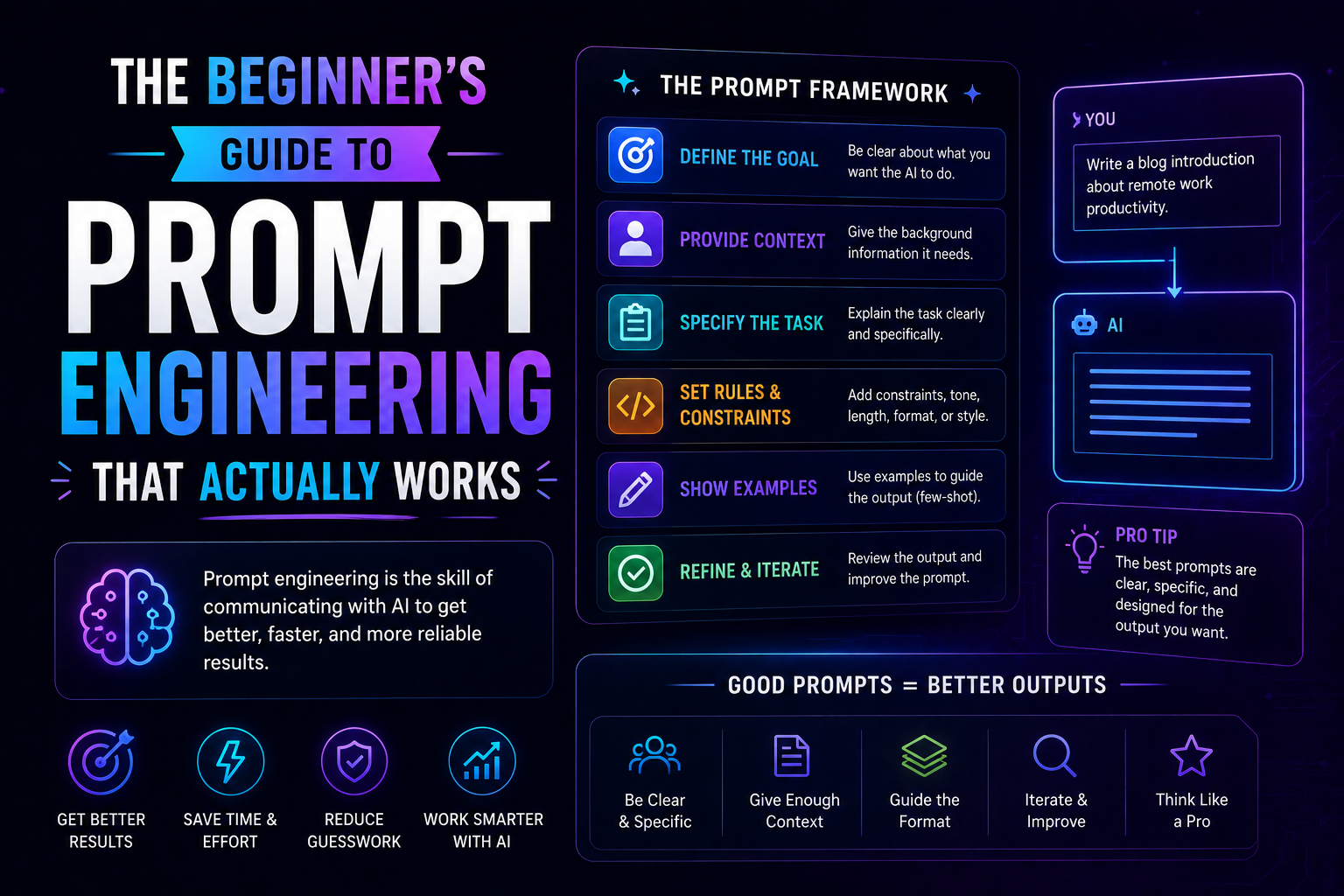
How to Prompt AI with Professional Techniques (To Get Perfect Results)
Vague prompts get vague answers. Here are professional techniques to get exactly what you want from AI — with real examples you can copy.

The mistake everyone makes.
"Write a blog post about marketing."
That's what most people type. Then they're confused when the result is generic, boring, and useless.
You wouldn't hand a junior employee a vague instruction like that. You wouldn't get good work back. Same with AI.
AI is not magic. It's a pattern-matching machine. It gives you what it thinks you want based on your words. If your words are vague, its response is vague.
Professional prompting is a skill. Learn it, and you get perfect results. Ignore it, and you get garbage.
Let me teach you the techniques I actually use.
Before Anything: Know What You Want
This sounds obvious. It's not.
Most people start typing before they know what they're asking. They explore. They iterate. They waste time.
Professional prompters do the opposite. They write down what they want before they open the chat.
Ask yourself three questions:
- What is the specific output I need? (A 500-word email? A list of 10 ideas? A code function?)
- Who is the audience? (My boss? A customer? A technical team?)
- What constraints matter? (Length? Tone? Format? Deadline?)
Write the answers down. Then write your prompt.
This one habit will improve your results more than any technique below.
Technique 1: Assign a Role (Persona Prompting)
This is the single biggest improvement you can make.
Tell the AI who it is. Not "write a report." But "you are a senior security engineer with 10 years of experience. Write a report."
Why it works: AI changes its language, tone, and depth based on the role you give it. A "senior engineer" gives different output than a "college intern" or "product manager."
Bad prompt:
"Explain what a load balancer does."
Good prompt:
"You are a senior DevOps engineer. Explain what a load balancer does to a junior developer who just joined your team."
See the difference? The second one gives context, audience, and relationship. The AI adjusts accordingly.
More examples:
| Bad | Good |
|---|---|
| "Write an email to a customer" | "You are a customer support lead. Write an email apologizing to a customer whose order arrived late. Be empathetic but professional." |
| "Give me marketing ideas" | "You are a growth marketer for a B2B SaaS company. Give me 10 marketing ideas for launching a new feature to existing customers." |
| "Review this code" | "You are a senior backend engineer. Review this Python code for security issues and performance problems. Be critical." |
Technique 2: Provide Examples (Few-Shot Prompting)
Show the AI what you want. Don't just tell it.
Why it works: AI is excellent at pattern matching. Give it a pattern, and it will follow it.
Bad prompt:
"Write a professional email declining a meeting request."
Good prompt:
"Write a professional email declining a meeting request. Follow this format and tone:
Subject: Unable to attend Tuesday's meeting
Hi [Name],
Thank you for the invitation. Unfortunately, I have a conflict at that time and won't be able to attend. Please let me know if there's anything I need to review beforehand.
Best, [Your Name]"
Now the AI knows exactly what you mean by "professional tone" and what structure to use.
Another example:
"Extract the order number, date, and total from this email. Here's an example:
Input: 'I need a refund for order #12345 from March 15. I paid $89.99.' Output: Order: 12345, Date: March 15, Total: $89.99
Now do this for: 'My order #67890 from April 2 was $45.00 and it never arrived.'"
The AI will follow the exact pattern you showed.
Technique 3: Add Constraints and Structure
Don't leave room for interpretation. Tell the AI exactly what you want.
Bad prompt:
"Write about customer retention."
Good prompt:
"Write a 300-word article about customer retention. Include exactly 3 strategies. Each strategy must be a single sentence followed by a 2-sentence explanation. Use a professional but friendly tone. Do not use bullet points. Do not mention discounts or price reductions."
The AI now has a box to work within. It can't wander off.
Constraint categories to use:
- Length: "Exactly 200 words" or "5 sentences maximum"
- Format: "Use paragraphs, not bullet points" or "Return valid JSON"
- Tone: "Formal" or "Conversational" or "Technical"
- Content: "Include 3 examples" or "Do not mention pricing"
- Exclusions: "Do not use marketing jargon"
The more specific you are, the less you'll have to edit later.
Technique 4: Use Chain-of-Thought (Step-by-Step)
Don't ask for the final answer. Ask for the reasoning that leads to the answer.
Why it works: When AI "thinks" out loud, it makes fewer mistakes. It catches its own errors.
Bad prompt:
"Is this email likely phishing?"
Good prompt:
"Analyze this email step by step. First, check the sender address. Second, look for urgent language. Third, check for suspicious links. Fourth, look for grammar errors. Then tell me if this is likely a phishing attempt. Explain your reasoning."
The AI will walk through each step. You can see its logic. You can trust the conclusion more.
Another example (coding):
"Write a function to validate an email address. Before writing code, think through: what makes a valid email? Local part, @ symbol, domain. List the rules. Then write the code."
The AI's answer will be more accurate because it thought through the problem first.
Technique 5: Iterate With Feedback Loops
You rarely get perfect output on the first try. That's fine. Professional prompting is a conversation.
The pattern:
- Give a prompt
- Get a response
- Give feedback
- Get a better response
Bad approach: Rewrite your prompt from scratch every time.
Good approach:
"That's close. Make the tone more formal. Replace 'guys' with 'team.' Add a sentence about the deadline. Remove the second paragraph entirely."
More feedback examples:
- "That's too long. Cut it to half the length."
- "That's too technical. Explain it like I'm 12 years old."
- "That's missing step 3. Add it after step 2."
- "The third point is wrong. Replace it with [your correction]."
Treat AI like a smart assistant who needs direction. Don't throw away good output. Refine it.
Technique 6: Ask for Multiple Versions
Don't accept the first answer. Ask for variations.
Why it works: The first answer is often the most obvious, generic one. The second or third might be better.
Prompt:
"Give me 3 different versions of this email. Version 1: short and direct. Version 2: warm and detailed. Version 3: formal and professional."
Now you can pick what works best. Or combine elements from all three.
Another example:
"Write 5 different subject lines for this email. Make them different tones: urgent, curious, helpful, short, professional."
You'll get options you wouldn't have thought of yourself.
Technique 7: Tell It What Not to Do (Negative Constraints)
Sometimes what you exclude is more important than what you include.
Prompt:
"Write a product description for a laptop. Do not use the words 'powerful,' 'revolutionary,' 'cutting-edge,' or 'unbelievable.' Do not use exclamation points. Do not compare to other brands. Do not mention price."
The AI can't fall into the same boring marketing clichés.
More negative constraints:
- "Do not use jargon"
- "Do not start any sentence with 'In today's world'"
- "Do not use the passive voice"
- "Do not assume the reader has technical knowledge"
These constraints force the AI to be creative and specific.
Putting It All Together: A Full Professional Prompt
Here's what a complete, professional prompt looks like.
Goal: Write a customer apology email.
Full prompt:
You are a senior customer support manager for an online clothing store.
Write an email apologizing to a customer whose order was delayed by 2 weeks.
Format: Exactly 150 words. Four paragraphs. No bullet points.
Tone: Professional, empathetic, but not overly apologetic. No exclamation points.
Content:
- First paragraph: Acknowledge the delay and apologize
- Second paragraph: Explain briefly what happened (warehouse backlog)
- Third paragraph: State what we're doing to fix it (overnight shipping, no extra cost)
- Fourth paragraph: Offer a 10% discount on their next order
Do not: Blame the shipping carrier. Make excuses. Use all-caps. Promise something we can't deliver.
Do not use these words: "unfortunately," "regretfully," "however"
Write the email now.
That prompt is specific, structured, and leaves no room for interpretation. The output will be good. Probably great.
The Most Common Mistake (And How to Fix It)
The most common mistake is one-line prompts.
"Write a blog post about SEO."
That's not a prompt. That's a wish.
Fix it: Add role, audience, length, structure, tone, and constraints.
"You are an SEO specialist. Write a 800-word blog post for small business owners who are new to SEO. Include 5 actionable tips. Each tip should be a heading followed by 2-3 sentences. Use a friendly, encouraging tone. Do not use technical jargon. Start with a short story about a business owner who struggled with SEO."
That prompt will deliver. The first one won't.
The Techniques at a Glance
| Technique | What to Do | Why It Works |
|---|---|---|
| Role prompting | Assign a persona | AI adjusts tone and depth |
| Examples | Show what you want | AI follows the pattern |
| Constraints | Set boundaries | AI stays on track |
| Chain-of-thought | Ask for step-by-step | AI makes fewer mistakes |
| Iterate | Give feedback | Each round gets better |
| Multiple versions | Ask for variations | You get options |
| Negative constraints | Tell it what to avoid | AI avoids clichés |
One Last Thing
You don't need to use every technique for every prompt.
- Simple task (summarize this paragraph): Just role + constraints
- Complex task (write a strategy document): Role + examples + chain-of-thought + iterations
- Creative task (write marketing copy): Multiple versions + negative constraints
Start with role and constraints. That's 80% of the improvement.
Then add the others as needed.
Written by Fredsazy — because garbage in, garbage out is still true for AI.

Iria Fredrick Victor
Iria Fredrick Victor(aka Fredsazy) is a software developer, DevOps engineer, and entrepreneur. He writes about technology and business—drawing from his experience building systems, managing infrastructure, and shipping products. His work is guided by one question: "What actually works?" Instead of recycling news, Fredsazy tests tools, analyzes research, runs experiments, and shares the results—including the failures. His readers get actionable frameworks backed by real engineering experience, not theory.
Share this article:
Related posts
More from AI
May 27, 2026
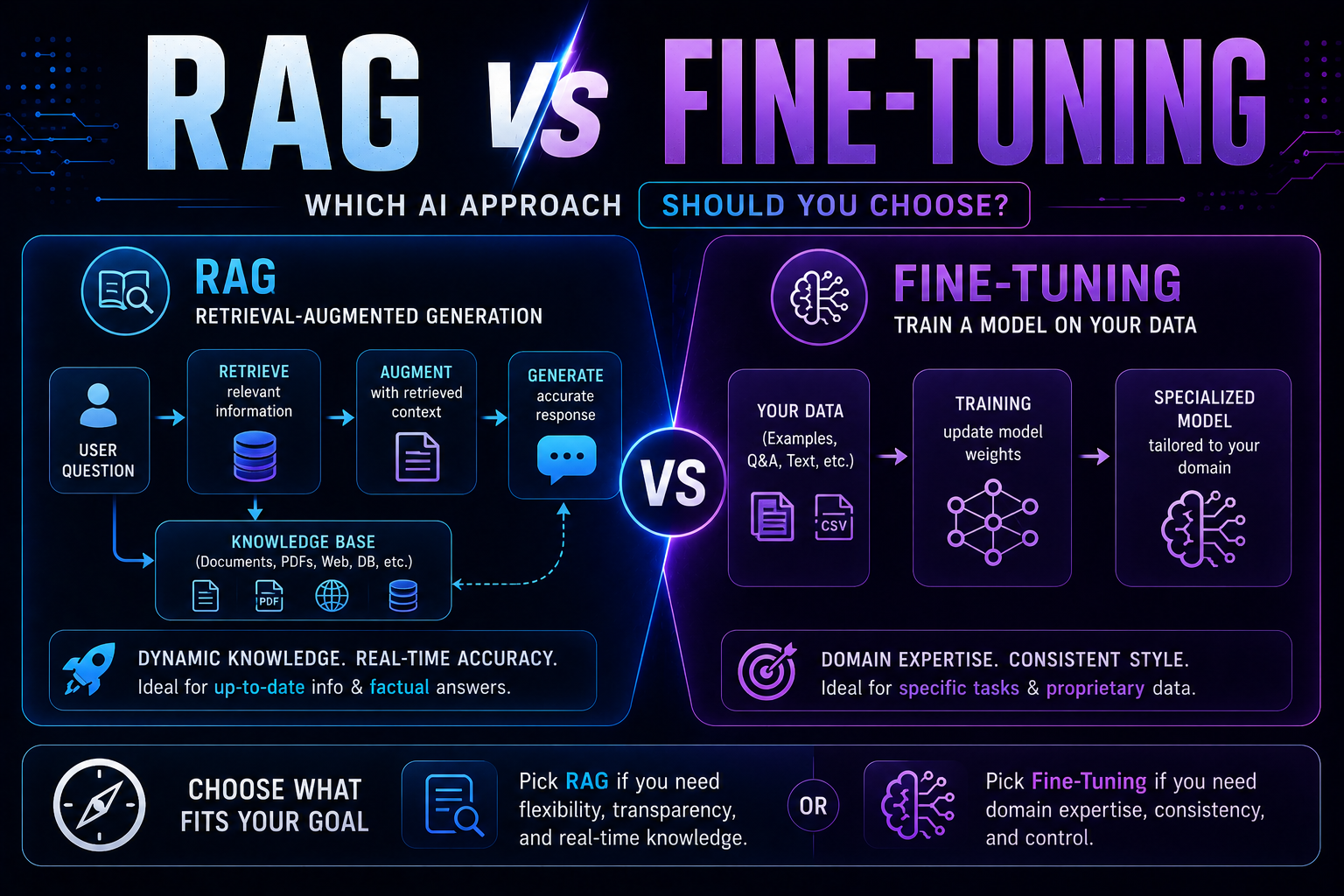
207RAG vs fine-tuning in 2026 — a practical guide covering when to use each, how both work with real code examples, the form vs facts distinction, hybrid approaches, true costs, and a decision framework to choose the right AI architecture for your use case.
May 22, 2026
2075 red flags every business must spot before buying AI software — covering demo manipulation, data privacy gaps, missing error handling, AI-washing, and lock-in contracts, with a 4-week vendor evaluation framework.

May 13, 2026
1153The beginner's guide to prompt engineering that actually works in 2026 — covering the RCTF framework, chain of thought, few-shot examples, output contracts, and model-specific tips for Claude, GPT-5, and Gemini.