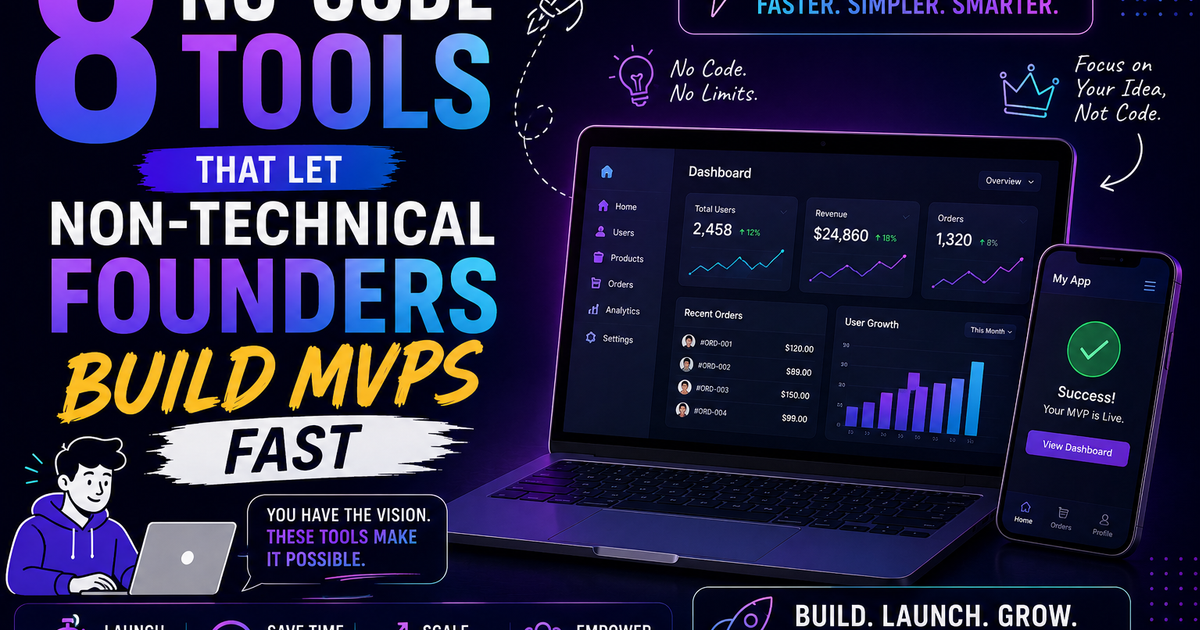
8 No-Code Tools That Let Non-Technical Founders Build MVPs Fast
The 8 best no-code tools to build an MVP fast in 2026 — Bubble, Webflow, Glide, Softr, FlutterFlow, Bolt.new, Airtable, and Make — with use cases, pricing, honest limitations, and a decision guide for non-technical founders.
You have a startup idea. You're ready to test it. But you don't have a technical co-founder, a development budget, or six months to wait for a v1.
That exact problem is what no-code tools were built to solve — and in 2026, they solve it better than ever.
Over 65% of Y Combinator startups in 2025 used no-code or low-code tools for their initial prototype. Non-technical founders can build a fully functional MVP in one to four weeks for under $200 per month. Companies like Comet (acquired for millions, built on Webflow), Qoins (reaching profitability on Bubble), and dozens of others have proven that no-code platforms can support serious, scalable businesses — not just disposable prototypes.
The no-code ecosystem has matured dramatically. Modern tools handle user authentication, database management, payment processing, API integrations, and deployment — all through visual, drag-and-drop interfaces. You're not building a fake demo or a mockup. You're building a real product with real users, real data, and real revenue.
This guide covers the 8 tools that consistently deliver the fastest path from idea to live product in 2026, what each one is genuinely best for, where each one falls short, and how to pick the right one for your specific use case.
Before you pick a tool: the three questions that matter
Most founders pick a no-code tool based on what they've heard of, not what fits their use case. The wrong tool wastes weeks. The right tool gets you to your first user in days.
Answer these three questions before reading the tool list:
1. What type of product are you building? Web app, mobile app, marketing site, marketplace, internal tool, or workflow automation — different tools dominate different categories.
2. Where does your data live? If you're starting from scratch, almost any tool works. If you have data in Google Sheets or Airtable already, tools that connect directly to those sources will save you hours.
3. How fast do you need to move? Tools with more customisation capability (Bubble, FlutterFlow) take longer to learn. Tools optimised for speed (Glide, Softr, Bolt.new) get you to live faster with less flexibility. If you're validating an idea in two weeks, choose speed. If you're building a product you plan to run for two years, choose capability.
1. Bubble — best for complex web applications
What it is: Bubble is the most powerful no-code web app builder available. It handles complex workflows, relational databases, conditional logic, custom user roles, API integrations, and multi-step processes that most other no-code tools can't manage. It is the tool of choice when your MVP is genuinely complex.
What you can build with it: SaaS applications, two-sided marketplaces, CRM systems, social platforms, booking and scheduling apps, dashboards with complex data relationships. Qoins, an award-winning fintech app, was built entirely on Bubble and reached profitability.
How fast it gets you to an MVP: 2–6 weeks for a first version, depending on complexity. Bubble has the steepest learning curve on this list — expect to invest several days into tutorials before you're productive. The investment pays off if your product genuinely needs its capabilities.
Pricing: Free tier available (Bubble branding on your app). Starter at $29/month, Growth at $119/month. Production-grade apps typically run $119–$349/month depending on workload.
Where it falls short:
- Steepest learning curve on the list — not appropriate for a two-week validation sprint
- Performance can lag for data-heavy apps at scale without optimisation
- Apps are hosted on Bubble's infrastructure — migrating to custom code later requires rebuilding
- Not suitable for native mobile apps (web only, with a mobile-responsive view)
Best for: Founders building complex web applications with intricate logic — marketplaces, SaaS products, social features — who can invest a few weeks in learning the platform and plan to operate the product long-term.
Start here: Bubble's official tutorials + the Bubble Academy. Expect 8–12 hours of learning before you're building confidently.
2. Webflow — best for marketing sites and content-driven products
What it is: Webflow is the professional standard for building visually polished websites and marketing pages without code. It is a design-first tool — you build visually with pixel-level control, and Webflow generates clean, production-ready HTML and CSS underneath. It also includes a CMS for content-driven sites and Webflow Logic for basic workflow automation.
What you can build with it: Marketing sites, landing pages, portfolios, blogs, content platforms, SaaS marketing pages, e-commerce storefronts. Comet, acquired for millions, was built on Webflow.
How fast it gets you to an MVP: 3–7 days for a polished marketing site with a waitlist form and CMS. Faster than Bubble for its use case, but only if your MVP is a marketing site rather than a functional application.
Pricing: Free tier for learning. Basic at $18/month, CMS at $29/month, Business at $49/month. E-commerce plans start at $42/month. All include hosting.
Where it falls short:
- Not an application builder — limited user authentication, no complex relational database, no conditional logic
- Learning curve for the visual canvas is steeper than simpler site builders (it's closer to design software than WordPress)
- E-commerce features are less mature than Shopify for product-heavy stores
Best for: Founders whose MVP is fundamentally a marketing-led product — a landing page to collect waitlist signups, a content platform, a portfolio site, or a marketing site for a product built elsewhere.
The combination that works: Webflow for the marketing site and public-facing pages, Bubble or Glide for the logged-in product experience.
3. Glide — best for spreadsheet-based apps and internal tools
What it is: Glide turns a Google Sheet or its own Glide Tables into a beautiful, deployable web or mobile application in minutes. If you're comfortable with spreadsheets, Glide is the fastest tool on this list — you can go from a structured Google Sheet to a live, shareable app in under an hour.
What you can build with it: Internal tools, directories, resource libraries, data collection apps, employee portals, simple client-facing apps, inventory tracking, field service apps. It's particularly powerful for businesses that already run on spreadsheets and want to give those spreadsheets a proper user interface.
How fast it gets you to an MVP: 1–3 days for a functional app if your data is already structured. Fastest time-to-live of any tool on this list for spreadsheet-connected use cases.
Pricing: Free tier available. Maker at $49/month, Team at $99/month, Business at $249/month. Pricing scales with the number of app users (editors are unlimited on paid plans).
Where it falls short:
- Limited for complex business logic — not suitable for apps with intricate multi-step workflows
- No native app store deployment (web apps only, accessed via browser or installed as PWA)
- Scales poorly to very large datasets without performance degradation
Best for: Founders who have data in a spreadsheet and need to put a proper interface on it fast — internal tools, simple client portals, directories, and data collection apps where the logic is straightforward.
4. Softr — best for client portals and membership sites
What it is: Softr lets you build client portals, membership sites, and internal tools by connecting to Airtable or Google Sheets as the backend database. It provides pre-built blocks — user directories, list views, forms, charts, calendars, kanban boards — that you assemble visually. Login, permissions, and user roles are built in.
What you can build with it: Client portals, membership communities, job boards, partner portals, resource libraries, project trackers, supplier directories, internal dashboards. The login and permissions system makes it well-suited to anything where different users see different data.
How fast it gets you to an MVP: 2–5 days for a complete portal with login, data views, and forms. Significantly faster than Bubble for this specific use case.
Pricing: Free tier (Softr branding, limited features). Basic at $49/month, Professional at $139/month, Business at $269/month.
Where it falls short:
- Less flexible than Bubble for custom logic and complex workflows
- No native mobile app — web only
- Dependent on Airtable or Google Sheets as the database, which has its own limitations at scale
Best for: Founders building anything with a login, where different users see different data based on their role — client portals, membership sites, partner portals, internal tools.
5. FlutterFlow — best for native mobile apps
What it is: FlutterFlow is a visual builder for native mobile and web applications using Google's Flutter framework. It is the only tool on this list that generates real, exportable Flutter code and deploys directly to the iOS App Store and Google Play. For non-technical founders whose product is fundamentally a mobile app, FlutterFlow has no close competitor in the no-code space.
What you can build with it: Native iOS and Android apps, cross-platform mobile apps with a web companion, apps that require device features like camera, GPS, push notifications, and biometric authentication. Real production apps — not web apps packaged as mobile, but actual native applications.
How fast it gets you to an MVP: 2–4 weeks for a polished mobile app. Longer than the web-focused tools but significantly faster than hiring a Flutter developer.
Pricing: Free tier for learning and prototyping. Standard at $30/month, Pro at $70/month, Teams plan for multi-developer workspaces.
Where it falls short:
- Steeper learning curve than web-focused no-code tools
- App Store submission is a separate process that requires Apple and Google developer accounts ($99/year and $25 one-time respectively)
- Complex animations and highly custom UI elements can require diving into actual Flutter code
Best for: Founders whose MVP is a native mobile app — consumer apps, field service tools, apps requiring device hardware access — where a mobile-responsive website isn't an adequate substitute.
6. Bolt.new — best for AI-generated full-stack apps
What it is: Bolt.new is a browser-based AI app builder where you describe what you want in plain English and the platform generates a deployable full-stack application. You describe your app, Bolt generates the code, and you can preview, edit, and deploy it directly from the browser — no local development environment required. Unlike the visual builders above, Bolt generates real, editable source code with no vendor lock-in.
AI code generators like Bolt.new turn plain English prompts into deployable full-stack applications, reducing development time by 50–70% compared to writing code from scratch.
What you can build with it: Web applications, SaaS dashboards, landing pages, internal tools, simple database-backed applications, CRUD apps for almost any use case. Best for founders comfortable reading (if not writing) code who want to iterate fast.
How fast it gets you to an MVP: Hours to days for a simple app. The first functional version is often generated in under an hour — the remaining time is refinement, edge cases, and deployment configuration.
Pricing: Free tier available (limited daily tokens). Pro at $20/month, Teams at $30/month per user. Token-based usage beyond plan limits is billed separately.
Where it falls short:
- Performance can degrade on complex apps with many components — AI-generated code quality drops as complexity rises
- Debugging and customising AI-generated code requires some technical literacy
- Less reliable for complex business logic than building deliberately with Bubble or FlutterFlow
Best for: Founders who can read code (even if they can't write it fluently) and want to move as fast as possible on a relatively simple product concept. Also excellent for generating a starting point that a developer can then customise.
The emerging workflow: Use Bolt.new to generate the initial working prototype in hours, then hand the generated code to a freelance developer for refinement. Faster and cheaper than a full custom build.
7. Airtable — best for database-driven MVPs and workflow automation
What it is: Airtable is a hybrid between a spreadsheet and a relational database, with a powerful interface builder that turns your data into custom-facing applications. It's the operational backbone for many no-code MVPs — the database and the logic layer — with Softr or Glide providing the user-facing interface on top.
What you can build with it: Inventory management systems, project trackers, CRM-lite tools, content calendars, order management systems, event management platforms, anything that is fundamentally a structured data workflow with views, filters, and automations.
How fast it gets you to an MVP: 1–3 days for an Airtable-native tool (using its own interface builder). Faster when combined with Softr or Glide for a polished user-facing interface.
Pricing: Free tier available (1,000 records per base). Team at $24/seat/month, Business at $54/seat/month. Record limits scale with plan tier — free tier fills up quickly for real products.
Where it falls short:
- Per-seat pricing makes it expensive as teams grow
- Record limits on lower tiers constrain products with significant data volume
- The native interface builder is functional but less polished than dedicated front-end tools
- Not a substitute for a proper database for high-volume, high-complexity data requirements
Best for: Founders whose MVP is a structured data workflow — anything involving tracking, managing, or reporting on information that has relationships and needs to be filtered, sorted, and acted on by multiple people.
8. Make (formerly Integromat) — best for automation-first products
What it is: Make is a visual workflow automation platform that connects applications and automates processes without code. It's the most powerful automation tool available to non-technical founders — more capable and more flexible than Zapier, with a visual workflow editor that makes complex multi-step automations comprehensible.
What you can build with it: Products whose core value is automation — automated onboarding flows, data synchronisation between systems, lead routing and enrichment pipelines, notification systems, report generation, content publishing workflows. If your MVP is "I automate this painful manual process," Make builds the automation layer.
How fast it gets you to an MVP: 1–3 days for a working automation pipeline. Make is the fastest tool on this list for automation-specific MVPs.
Pricing: Free tier available (1,000 operations/month). Core at $10.59/month, Pro at $18.82/month, Teams at $34.12/month. Operations scale with plan tier.
Where it falls short:
- Not an app builder — Make automates processes between existing tools, it doesn't build user-facing interfaces
- Debugging complex workflows requires patience and systematic troubleshooting
- Pricing scales with operations volume — automation-heavy products can become expensive quickly
Best for: Founders whose product is fundamentally an automation or integration play — connecting existing tools, automating repetitive workflows, or orchestrating data between systems. Also powerful as the backend automation layer for a product whose interface is built in Glide, Softr, or Bubble.
The combination that works: Airtable (data) + Softr (interface) + Make (automation). This three-tool stack handles the majority of no-code business application use cases in 2026 at a reasonable cost.
How to choose the right tool for your specific MVP
Use this decision guide:
| What you're building | Best tool | Runner-up |
|---|---|---|
| Complex web app with custom logic | Bubble | Bolt.new |
| Marketing site or landing page | Webflow | Typedream |
| Spreadsheet-based app or internal tool | Glide | Softr |
| Client portal or membership site | Softr | Bubble |
| Native iOS/Android mobile app | FlutterFlow | Adalo |
| Quick prototype from AI prompt | Bolt.new | Lovable |
| Database and workflow backbone | Airtable | Notion |
| Automation and integration product | Make | Zapier |
| Full-stack, fast, with exportable code | Bolt.new | Replit |
The realistic cost of a no-code MVP
One of the biggest advantages of no-code tools is the economics. In 2026, founders can build a fully functional MVP without code in 1–4 weeks for under $200 per month using platforms like Bubble, FlutterFlow, and Webflow.
Here's what a real monthly tool stack costs:
Lean stack (under $50/month):
- Glide Pro: $49/month
- Free tier: Airtable, Make, Webflow
Standard stack (under $150/month):
- Bubble Starter: $29/month
- Airtable Team: $24/month
- Make Core: $11/month
- Webflow CMS: $29/month
- Total: ~$93/month
Full-featured stack (under $300/month):
- Bubble Growth: $119/month
- Airtable Business: $54/month
- Make Pro: $19/month
- Webflow Business: $49/month
- Total: ~$241/month
Compare these figures to the alternative: a freelance developer to build a custom MVP typically costs $15,000–$50,000 and takes three to six months. No-code tools get you to the same validation milestone in weeks at under 1% of the cost.
The limits of no-code: when you'll eventually need custom code
No-code tools are not forever solutions for every product. The three scenarios where no-code stops working and custom development becomes necessary:
Scale limits. Bubble, Glide, and Softr have performance ceilings. Products that reach significant user volumes (typically 10,000+ active users) begin hitting database query limits, API rate limits, and rendering performance issues that can't be resolved within the no-code platform.
Custom functionality. When your core product differentiation requires a feature or integration that no-code tools don't support — a specialised algorithm, a hardware integration, a real-time feature requiring WebSockets, a deeply custom UI — you need code.
Unit economics of platform fees. At scale, platform fees can become significant relative to your margins. A product generating $500,000 in annual revenue paying $5,000/year in Bubble fees is healthy. The same product paying $50,000/year because of per-operation or per-user pricing has a different calculation.
None of these limits matter before you've validated your idea. The point of a no-code MVP is to reach validation as fast and cheaply as possible. Once you have paying users, product-market fit evidence, and a revenue base, the decision to move to custom code is a growth investment — not a rescue operation.
Frequently asked questions
Can a no-code app be a real business, not just a prototype? Yes. Many successful startups have built their entire businesses on no-code foundations, scaling to thousands of users and millions in revenue without transitioning to custom code. No-code tools are no longer just for prototypes. The question is whether your specific product eventually requires capabilities the platform can't provide — and that's worth evaluating when you get there, not before you've validated anything.
How long does it take to build an MVP with no-code tools? One to four weeks for a functional first version in most cases. Founders can build a fully functional MVP without code in 1–4 weeks for under $200/month using modern no-code platforms. The timeline depends on the complexity of your product and which tool you choose — Glide for a spreadsheet-backed app can be live in a day; Bubble for a complex marketplace takes closer to four to six weeks.
What is the difference between no-code and low-code? No-code tools require zero programming knowledge — everything is visual, drag-and-drop, or natural language. Low-code tools provide visual builders for most of the work but allow (or sometimes require) small amounts of code for custom logic. Bubble is no-code for most use cases but supports custom JavaScript for advanced needs. FlutterFlow is primarily no-code but allows custom Dart code for complex functionality. Most tools on this list sit closer to the no-code end of the spectrum.
What happens to my product if a no-code platform shuts down or changes pricing? This is a real operational risk. The mitigation: choose established platforms with strong funding and large user bases (Bubble, Webflow, Airtable are lower risk than newer entrants), regularly export your data in portable formats, and consider Bolt.new or similar code-generating tools that give you exportable source code with no lock-in if portability is critical.
Is Webflow or Bubble better for a SaaS MVP? For a SaaS product with a logged-in application experience — user accounts, databases, subscription management — Bubble is better. For the marketing site and landing pages that drive signups to that product, Webflow is better. Many founders use both: Webflow for marketing, Bubble for the product. They serve genuinely different parts of the product experience.
Can I accept payments with no-code tools? Yes. Bubble, Webflow (e-commerce), Softr, and Glide all support Stripe integration for payment processing. Make can automate billing workflows. You can accept one-time payments, subscriptions, and usage-based billing through Stripe without writing payment code. This is one of the most significant maturity improvements in the no-code ecosystem in 2024–2026.

Iria Fredrick Victor
Iria Fredrick Victor(aka Fredsazy) is a software developer, DevOps engineer, and entrepreneur. He writes about technology and business—drawing from his experience building systems, managing infrastructure, and shipping products. His work is guided by one question: "What actually works?" Instead of recycling news, Fredsazy tests tools, analyzes research, runs experiments, and shares the results—including the failures. His readers get actionable frameworks backed by real engineering experience, not theory.
Share this article:
Related posts
More from Business
May 13, 2026
5030You do not need $50k to start a SaaS business. Here is a step-by-step guide to building from scratch with low income: idea validation, MVP on $30/month, first 10 customers without paid ads, and the realistic path to $5k MRR.
May 13, 2026
331First response time. CSAT. Ticket density. Churn correlation. Most growing businesses track the wrong support metrics. Here are the 7 that actually predict retention – with benchmarks and actions for each.
May 12, 2026
357Most SaaS founders spend 100 hours on product for every 1 hour on pricing. That's backwards. Here are 8 pricing mistakes costing you real money in 2026 – and exactly how to fix each one. No fluff. Just benchmarks and action steps.