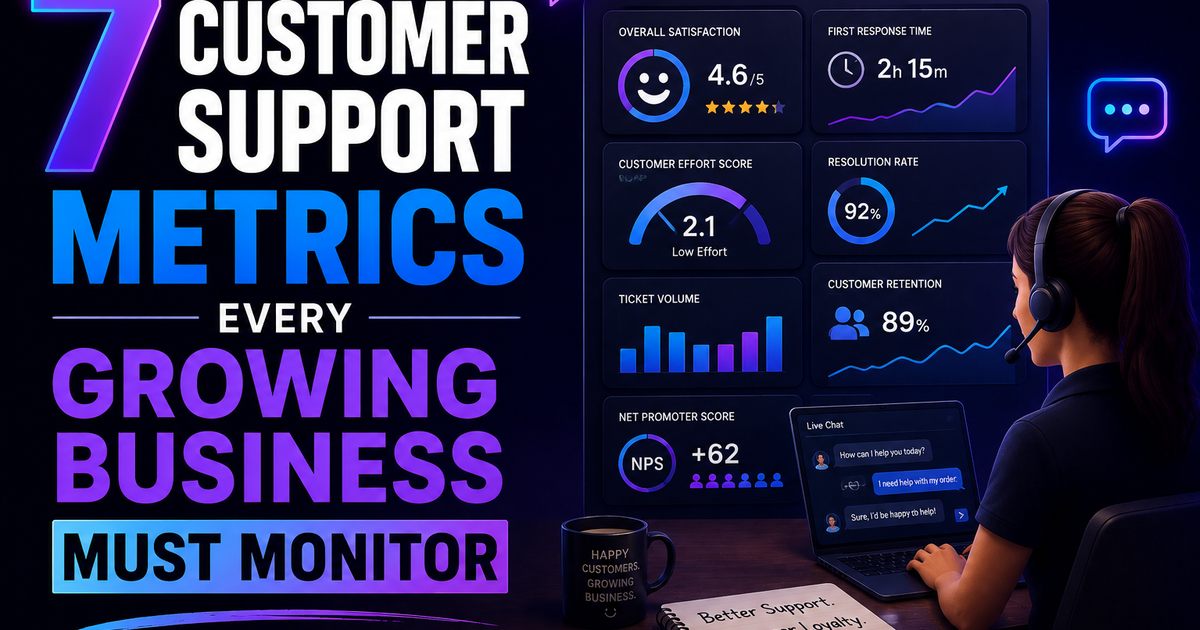
7 Customer Support Metrics Every Growing Business Must Monitor
First response time. CSAT. Ticket density. Churn correlation. Most growing businesses track the wrong support metrics. Here are the 7 that actually predict retention – with benchmarks and actions for each.
Your product is not failing. Your support is. And you are not measuring the right numbers to see it.
Let me tell you something that most founders learn too late.
You can have the best product in your category. You can have a flawless onboarding experience. You can have a pricing model that converts like crazy.
And you can still lose customers.
Not because your product broke. Because your support broke. Slowly. Quietly. While you were staring at your MRR chart and ignoring the ticket backlog.
I have seen this pattern at least a dozen times. A SaaS company grows from $10k to $100k MRR. Everything looks healthy on the dashboard. Revenue is up. Churn is "acceptable." The founder is celebrating.
Meanwhile, customer support is drowning. Response times have crept from 2 hours to 2 days. The only metric being tracked is "tickets closed" – which looks great because the team is closing tickets fast. But they are closing them with bad answers. Or partial answers. Or links to documentation the customer already read.
The customers do not complain loudly. They just leave. Quietly. At renewal time. And the founder says, "I don't understand. Our product is great."
Your product is not failing. Your support is. And you are not measuring the right numbers to see it.
This article is about the seven customer support metrics that actually matter for a growing business. Not vanity metrics. Not "tickets closed." The numbers that predict churn, reveal team burnout, and tell you exactly where your support is breaking.
What Makes a Support Metric Worth Monitoring?
Not every support number deserves a spot on your dashboard. A metric is worth tracking if it meets at least three of these tests:
| Test | What It Means |
|---|---|
| Predicts customer behavior | Changes in this metric correlate with churn or retention |
| Drives a specific action | You know exactly what to fix if this number moves |
| Measures quality, not just volume | Tells you how good the support was, not just how much |
| Is comparable over time | Same definition today as six months ago |
| Team can influence it | Not an external factor the team cannot control |
If your current support dashboard has "tickets closed" as the main metric, you are measuring activity, not effectiveness.
Here are the seven that predict the future.
Metric #1: First Response Time (FRT)
What it is:
The time between a customer submitting a support ticket and the first human reply. Not an auto-acknowledgment. Not a bot. A human.
How to calculate it:
Average time across all tickets = (Sum of response times for all tickets) ÷ (Number of tickets)
Why it matters:
First response time is the single strongest predictor of customer satisfaction.
Here is the data from thousands of companies (source: SuperOffice, Zendesk benchmarks):
| First response time | Customer satisfaction (CSAT) |
|---|---|
| Under 1 hour | 85-90% satisfied |
| 1-4 hours | 75-85% satisfied |
| 4-24 hours | 60-75% satisfied |
| Over 24 hours | Below 50% satisfied |
The relationship is not linear. The drop from "under 1 hour" to "over 24 hours" is massive. Customers who wait a full day for a reply are already checking competitor websites.
The real-world impact:
A B2B SaaS company I worked with had first response times averaging 18 hours. They thought this was "fine" because they were a small team. They measured CSAT at 68%.
They hired a second support person and reorganized shift coverage. First response time dropped to 3 hours. CSAT jumped to 82% in 30 days. Churn dropped by 15% in the next quarter.
Nothing changed about the product. Only the speed of the first reply.
What is a good benchmark?
| Business type | Good FRT | Excellent FRT |
|---|---|---|
| B2B SaaS (high-touch) | Under 4 hours | Under 1 hour |
| B2B SaaS (self-serve) | Under 8 hours | Under 2 hours |
| B2C / Consumer | Under 2 hours | Under 30 minutes |
| Enterprise (SLA-backed) | Under 1 hour | Under 15 minutes |
What to watch for:
| Signal | What it means | Action |
|---|---|---|
| FRT increasing week over week | Support volume growing faster than headcount | Hire or implement automation |
| FRT spikes on weekends/evenings | Coverage gaps | Rotate on-call or adjust hours |
| FRT varies wildly by channel (email slower than chat) | Inefficient routing | Prioritize faster channels for urgent tickets |
How to improve it:
| Tactic | Effort | Impact |
|---|---|---|
| Add a second support person | Medium | High |
| Use saved replies for common questions | Low | Medium |
| Implement a chatbot that triages (not solves) | Medium | Medium |
| Set up automated ticket routing by type | Low | Low-medium |
| Add weekend coverage | High (if hiring) | High |
Do not do this: Do not fake first response time with an automated "we got your ticket!" email. Customers know the difference. They are waiting for a human.
Metric #2: Resolution Time
What it is:
The total time from when a customer submits a ticket to when the ticket is closed (customer confirms the issue is solved OR no reply needed).
How to calculate it:
Average resolution time = (Sum of resolution times for all closed tickets) ÷ (Number of closed tickets)
Why it matters:
First response time tells customers you heard them. Resolution time tells them you actually helped.
A fast first response followed by a slow resolution is almost worse than a slow first response. Because now the customer is waiting, knowing you are aware of the problem, and getting increasingly frustrated with every hour that passes.
First response vs resolution time: the matrix
| FRT | Resolution time | Customer perception |
|---|---|---|
| Fast | Fast | "They are amazing" |
| Fast | Slow | "They acknowledged me but are not fixing it" (frustrating) |
| Slow | Fast | "Took a while to start, but they solved it quickly" (forgivable) |
| Slow | Slow | "They do not care" (churn incoming) |
What is a good benchmark?
| Issue type | Good resolution time | Excellent |
|---|---|---|
| Simple (password reset, account update) | Under 2 hours | Under 30 min |
| Moderate (bug report, feature question) | Under 24 hours | Under 4 hours |
| Complex (data loss, integration broken) | Under 3 days | Under 24 hours |
What to watch for:
| Signal | What it means | Action |
|---|---|---|
| Resolution time increasing while FRT stays same | Issues are getting more complex OR support is getting worse at solving | Investigate ticket backlog by type |
| Certain ticket types have much higher resolution time | Knowledge gap or process gap | Create documentation or escalate path |
| Resolution time spikes on specific days (e.g., Mondays) | Weekend backlog | Add weekend coverage or better triage |
How to improve it:
| Tactic | Effort | Impact |
|---|---|---|
| Create internal knowledge base for support agents | Medium | High |
| Identify top 10 ticket types and write canned responses | Low | High |
| Escalate complex tickets to second tier (not just hoping) | Low | Medium |
| Implement customer-facing status page for known issues | Medium | Medium (reduces tickets) |
| Schedule "deep dive" blocks for agents to clear long tickets | Low | Medium |
Metric #3: Customer Satisfaction Score (CSAT)
What it is:
A post-interaction survey asking: "How would you rate your support experience?" Usually on a scale of 1-5 or with smiley faces.
How to calculate it:
(% of responses that are positive – usually 4-5 out of 5) × 100
CSAT = (Positive responses ÷ Total responses) × 100
Why it matters:
FRT and resolution time measure speed. CSAT measures quality. A ticket can be resolved in 10 minutes with a wrong answer. That looks great on resolution time. The customer is not happy.
CSAT catches this.
The trap:
Most companies only survey customers who close tickets. This biases your CSAT upward because frustrated customers often stop replying (ticket auto-closes) and never get surveyed.
You need to survey all customers after every interaction, or you are lying to yourself.
What is a good benchmark?
| Industry | Good CSAT | Excellent CSAT |
|---|---|---|
| B2B SaaS | 85-90% | 95%+ |
| B2C / Consumer | 80-85% | 90%+ |
| Enterprise support | 90-95% | 98%+ |
What to watch for:
| Signal | What it means | Action |
|---|---|---|
| CSAT dropping but FRT/resolution stable | Quality is falling (wrong answers, rude tone) | Review individual tickets |
| CSAT varies by agent | Training gaps | Peer review, coaching |
| CSAT high but churn increasing | You are surveying the wrong customers | Look at churned customers' last interaction |
| Low survey response rate (<20%) | Survey fatigue or bad timing | Change survey method or timing |
How to improve it:
| Tactic | Effort | Impact |
|---|---|---|
| Review low-scoring tickets weekly as a team | Low | High |
| Add a free-text field ("what could we do better?") | Low | High (qualitative data) |
| Set agent-level CSAT goals (not punitive, for growth) | Low | Medium |
| Follow up on low scores personally (founder or support lead) | Medium | Very high (saves churn) |
| Speed alone does not fix low CSAT – focus on accuracy first | N/A | N/A |
Do not do this: Do not send CSAT surveys immediately after an auto-reply. The customer has not been helped yet. Wait until the ticket is actually resolved.
Metric #4: Ticket Volume by Type (Defect vs. Question vs. Feature Request)
What it is:
A breakdown of your support tickets by category. Not just "how many tickets" but "what kind of tickets."
How to categorize:
| Category | Definition | Example |
|---|---|---|
| Defect / Bug | Product is not working as intended | "The export button downloads an empty file" |
| Question / How-to | User needs help using the product | "How do I invite team members?" |
| Feature request | User wants something the product does not have | "Can you add Slack notifications?" |
| Account / Billing | Payment, subscription, or login issues | "My card was charged twice" |
| Onboarding | First-time setup questions | "What is my API key?" |
Why it matters:
This metric tells you where to invest.
| If most tickets are... | Your problem is... | The fix is... |
|---|---|---|
| Defects | Product quality | Fix bugs, improve QA |
| Questions | Poor documentation or UX | Write better docs, improve UI |
| Feature requests | Missing functionality | Product roadmap |
| Account/billing | Checkout or payment flow | Fix payment integration |
| Onboarding | Activation friction | Improve onboarding flow |
Without this breakdown, you are guessing.
The real-world impact:
A SaaS company had 500 tickets per month. They felt overwhelmed. They hired a third support agent.
Then they categorized their tickets. 60% were "how-to" questions answered in their knowledge base. Customers were not reading the docs.
They redesigned their in-app help widget to surface the relevant docs automatically. Ticket volume dropped to 250 per month in 8 weeks. They did not need the third agent.
Categorization saved them $60,000/year.
How to implement this:
| Method | Accuracy | Effort | Best for |
|---|---|---|---|
| Manual tagging by agent | High | Medium | Small teams (<500 tickets/month) |
| Dropdown on ticket form (customer selects type) | Medium | Low | All teams |
| AI auto-tagging (Zendesk, Intercom, etc.) | Medium-high | Low initial setup | Large teams (>1,000 tickets/month) |
What to watch for:
| Signal | What it means | Action |
|---|---|---|
| Defect tickets rising | QA process failing | Investigate recent deployments |
| Question tickets rising without product changes | Documentation outdated or hidden | Audit documentation |
| Feature request tickets rising | Users want something you are not building | Review product roadmap |
| Any category >50% of total | Imbalance | Prioritize fixing the root cause |
Do not do this: Do not create 15 categories. Start with 5-6. Add more only if needed. Too many categories means agents stop categorizing.
Metric #5: Support Volume per Customer (Ticket Density)
What it is:
The average number of support tickets created per active customer over a given period (usually monthly).
How to calculate it:
Ticket Density = (Total tickets in month) ÷ (Number of active customers in month)
Why it matters:
Ticket density is a health metric for your product and documentation.
| Ticket density | Interpretation |
|---|---|
| <0.1 tickets/customer/month | Excellent. Customers rarely need help. |
| 0.1 – 0.3 | Good. Normal for most B2B SaaS. |
| 0.3 – 0.6 | Warning. Customers are struggling. |
| >0.6 tickets/customer/month | Critical. Your product or documentation is failing. |
Example:
If you have 1,000 active customers and receive 400 tickets in a month: Ticket density = 400 ÷ 1,000 = 0.4 (warning zone)
The real-world impact:
A SaaS company tracked ticket density per customer cohort. They discovered that customers on their "Enterprise" plan had 3x higher ticket density than smaller customers.
Why? The enterprise plan had more features. Those features were buggy and poorly documented.
They focused on fixing that one plan's documentation and top bugs. Enterprise ticket density dropped from 1.2 to 0.3 in three months. Customer satisfaction improved. Churn from enterprise customers dropped by 40%.
What to watch for:
| Signal | What it means | Action |
|---|---|---|
| Ticket density increasing | Product is getting harder to use OR bugs are accumulating | Investigate |
| Density varies by plan | Certain features are problematic | Focus fixes on high-density plans |
| Density varies by customer age (new customers submit more tickets) | Normal (learning curve). Watch if it stays high after 60 days | Improve onboarding |
| Density spikes after release | You shipped a buggy feature | Roll back or hotfix |
How to reduce ticket density:
| Tactic | Effort | Impact on density |
|---|---|---|
| Improve documentation (searchable, screenshots, video) | Medium | High |
| Fix top 10 bugs by ticket count | High | Very high |
| Add in-app tooltips for confusing features | Medium | Medium |
| Improve onboarding flow | High | High (especially for new customers) |
| Add a "report bug" button with auto-logging | Low | Medium (reduces manual tickets) |
Metric #6: Agent Utilization & Burnout Indicators
What it is:
Measures of how your support team is doing – before they quit.
Key sub-metrics:
| Metric | What it measures | Warning sign |
|---|---|---|
| Tickets per agent per day | Workload | >30 tickets/day for complex support (B2B) |
| Concurrent tickets handled | Multitasking pressure | >5 open tickets at once |
| Overtime hours | Team health | Any regular overtime |
| Agent CSAT variance | Individual performance | Low CSAT from a previously high performer |
| Agent turnover | Long-term health | >20% annual turnover for support |
Why it matters:
Support agents burn out silently. They are paid less than engineers. They absorb customer frustration. They rarely complain until they hand in their resignation.
When a good agent leaves:
- Your FRT spikes (while you backfill)
- Resolution time increases (new agents are slower)
- CSAT drops (new agents make mistakes)
- Other agents get overloaded (more burnout)
The cost of losing one support agent is 3-6 months of that agent's salary in hiring, training, and reduced quality.
The real-world impact:
A fast-growing SaaS company had two support agents handling 800 tickets per month. The founder kept adding features but did not add support headcount.
Tickets per agent per day: 35 (very high for B2B complex support)
Both agents quit within 60 days of each other.
The founder spent three months replacing them. FRT went from 2 hours to 18 hours. CSAT dropped from 87% to 71%. Churn increased by 18% in those three months.
The cost of delaying a support hire was easily 10x the cost of the hire.
What is a healthy range?
| Support type | Tickets per agent per day | Concurrent tickets |
|---|---|---|
| Simple (consumer, password resets, FAQs) | 40-60 | 10-15 |
| Moderate (B2B, some troubleshooting) | 20-30 | 5-8 |
| Complex (technical support, debugging) | 10-15 | 3-5 |
| Enterprise (long conversations, relationship) | 5-10 | 2-3 |
What to watch for:
| Signal | What it means | Action |
|---|---|---|
| Agent tickets/day above healthy range | Understaffed | Hire or automate |
| CSAT dropping for previously good agents | Burnout | Reduce workload, offer time off |
| High overtime | Poor scheduling or understaffing | Hire or adjust shifts |
| Agent asking for internal transfers | Disengagement | Exit interview to learn why |
Do not do this: Do not measure "productivity" by tickets closed per day. That incentivizes agents to close tickets fast, not well. Measure CSAT and resolution quality first. Use tickets per agent only for capacity planning, not performance reviews.
Metric #7: Churn Correlation with Support Interactions
What it is:
The relationship between a customer's support experience and their likelihood to churn.
How to find it:
Compare your churned customers to your retained customers on support metrics:
| Compare... | To find... |
|---|---|
| Average FRT for churned vs retained | Did slow response cause churn? |
| Average resolution time for churned vs retained | Did slow resolution cause churn? |
| Number of tickets (overall) for churned vs retained | Are heavy support users more likely to churn? |
| CSAT score for churned vs retained | Did low satisfaction predict churn? |
| Last interaction type (bug vs question vs billing) | Does one ticket type predict churn? |
Why it matters:
Most companies track support metrics in isolation. They do not connect support data to churn data. This is a mistake.
You are collecting all this data. Connect it. Find out exactly which support failures are costing you customers.
The real-world impact:
A SaaS company ran this analysis. They found:
| Metric | Retained customers | Churned customers |
|---|---|---|
| Average FRT | 3.2 hours | 9.8 hours |
| Average resolution time | 18 hours | 62 hours |
| Percentage with CSAT <70% | 8% | 41% |
The conclusion was obvious: Slow support caused churn.
They invested in faster response times. Within six months, churn dropped by 25%. The analysis paid for itself many times over.
What to watch for:
| Finding | What it means | Action |
|---|---|---|
| Churned customers had much higher FRT | Speed matters more than you thought | Improve FRT |
| Churned customers had much higher resolution time | Complex issues are churn risk | Escalate complex tickets faster |
| Churned customers had one specific ticket type (e.g., billing bugs) | A specific problem is driving churn | Fix that problem category |
| Churned customers had the same FRT as retained | Something else is driving churn | Look at product usage data |
| Churned customers never submitted a ticket | They left without complaining (worst case) | Implement proactive outreach |
How to implement this:
| Step | Effort | Tool |
|---|---|---|
| Export support data (tickets, FRT, resolution time, CSAT per customer) | Low | Your support platform (Zendesk, Intercom, etc.) |
| Export churn data (which customers canceled, when) | Low | Your billing platform (Stripe, etc.) |
| Join the two datasets (by customer ID) | Low | Spreadsheet or SQL |
| Compare averages | Low | Spreadsheet |
| Set up automated dashboard (repeat monthly) | Medium | Looker, Tableau, or BI tool |
Do not do this: Do not conclude "support caused churn" without checking product usage. Sometimes customers churn because they stopped using the product – not because support failed. Look at both.
How to Build Your Support Dashboard (The 1-Page View)
You do not need 20 charts. You need one page with these seven metrics.
| Metric | Target | Current | Trend | Action if off track |
|---|---|---|---|---|
| First Response Time | Under 4h | 3.2h | ➡️ | Hold |
| Resolution Time | Under 24h | 18h | ➡️ | Hold |
| CSAT | 85%+ | 86% | ➡️ | Hold |
| Ticket type breakdown | Defects <20% | Defects 35% | ⬆️ | Investigate recent bugs |
| Ticket density | <0.3 | 0.22 | ➡️ | Hold |
| Agents per day | <25 | 28 | ⬆️ | Consider hiring |
| Churn correlation | Churned FRT <2x retained | 3.5x ⬆️ | ⬆️ | Urgent: fix FRT |
Update this weekly. Review as a team (including product and engineering).
Realistic Timeline: Implementing These Metrics
If you track nothing today, start here.
Week 1 (2 hours):
- Add CSAT survey to your support tickets (if not already)
- Export last 3 months of tickets, categorize by type (manually or with AI)
- Calculate your current FRT, resolution time, ticket density
Week 2 (3 hours):
- Connect support data to churn data (spreadsheet is fine)
- Run the churn correlation analysis
- Identify your top 3 problem areas
Week 3 (4 hours):
- Build a simple dashboard (Google Sheets or Notion)
- Share with team weekly
- Pick one metric to improve (start with FRT or ticket density)
Week 4+ (ongoing):
- Review dashboard weekly (15 minutes)
- Take action when metrics drift
- Re-run churn correlation quarterly
Frequently Asked Questions
What support platform do you recommend for tracking these?
Zendesk and Intercom are the most common. Both track FRT, resolution time, and CSAT out of the box. For ticket categorization, you may need custom fields or AI tagging. For small teams (<500 tickets/month), Help Scout or Freshdesk work well.
How often should we review these metrics?
Weekly for FRT, resolution time, and ticket density. Monthly for CSAT (needs enough survey responses). Quarterly for churn correlation (needs churn data).
What if our CSAT is high but churn is also high?
You are surveying the wrong customers. Churned customers are not getting surveys. Send surveys after every interaction, not just closed tickets. Or look at product usage – maybe support is fine, but the product is not delivering value.
How many support agents do we need?
Rule of thumb: One full-time agent per 200-400 active customers for B2B SaaS, depending on complexity. But track tickets per agent per day. If agents exceed healthy range for two months, hire.
Should we outsource support?
Only for simple, scriptable support (tier 1, password resets, basic FAQs). For technical or product-specific support, hire in-house. Outsourced agents cannot keep up with product changes and have no internal advocacy.
What about AI support agents (chatbots)?
Useful for triage, FAQs, and simple tasks. Not ready to replace humans for complex or emotional support. Measure your chatbot separately: deflection rate (how many tickets it prevents), containment rate (how many it solves fully), and escalation rate (how many go to humans).
The Bottom Line
Here is what I have learned watching dozens of companies scale from $10k to $500k MRR.
The ones that survive the growth stage are not the ones with the best product. They are the ones that noticed their support failing before their customers did.
Your product will have bugs. Your documentation will have gaps. Your customers will get confused.
That is fine. That is normal.
What is not fine is measuring support by "tickets closed" and wondering why churn is creeping up.
First response time tells customers you see them. Resolution time tells them you solved it. CSAT tells you if they are happy. Ticket type breakdown tells you what to fix. Ticket density tells you if your product is getting better. Agent metrics tell you if your team is burning out. Churn correlation tells you what actually costs you money.
Track these seven. Review them weekly. Act on them monthly.
Your customers will not thank you. But they will stay.
– Written by Fredsazy

Iria Fredrick Victor
Iria Fredrick Victor(aka Fredsazy) is a software developer, DevOps engineer, and entrepreneur. He writes about technology and business—drawing from his experience building systems, managing infrastructure, and shipping products. His work is guided by one question: "What actually works?" Instead of recycling news, Fredsazy tests tools, analyzes research, runs experiments, and shares the results—including the failures. His readers get actionable frameworks backed by real engineering experience, not theory.
Share this article:
Related posts
More from Business
May 27, 2026
683The 8 best no-code tools to build an MVP fast in 2026 — Bubble, Webflow, Glide, Softr, FlutterFlow, Bolt.new, Airtable, and Make — with use cases, pricing, honest limitations, and a decision guide for non-technical founders.

May 13, 2026
4867You do not need $50k to start a SaaS business. Here is a step-by-step guide to building from scratch with low income: idea validation, MVP on $30/month, first 10 customers without paid ads, and the realistic path to $5k MRR.

May 12, 2026
328Most SaaS founders spend 100 hours on product for every 1 hour on pricing. That's backwards. Here are 8 pricing mistakes costing you real money in 2026 – and exactly how to fix each one. No fluff. Just benchmarks and action steps.